ActiveCampaign Review: The Automation Powerhouse
Pros
- Best-in-class automation builder — unmatched flexibility
- Built-in CRM with pipeline management
- Excellent deliverability (consistently 93-97%)
- Conditional content and dynamic personalization
- Site tracking and lead scoring included
- 900+ integrations
Cons
- No free plan — entry cost is higher than competitors
- Learning curve is steeper than simpler platforms
- Interface can feel overwhelming for beginners
- Reporting improvements needed on lower tiers
- Landing page builder is adequate but not exceptional
What is ActiveCampaign?
ActiveCampaign is what happens when engineers build an email marketing platform instead of designers. It is not the prettiest tool on the market. It is not the simplest. But when it comes to doing complex, revenue-driving things with email — multi-step automations, CRM-triggered sequences, behavioral targeting, dynamic content personalization — ActiveCampaign operates in a category that most competitors cannot touch.
Founded in 2003 by Jason VandeBoom, ActiveCampaign started as a consulting firm before pivoting to software. That consulting DNA shows in the product: it’s built by people who understand that businesses have messy, nonlinear customer journeys, and that the email tool needs to handle that messiness gracefully. Today the platform serves over 185,000 businesses across 170 countries.
We have deployed ActiveCampaign for SaaS onboarding sequences, ecommerce lifecycle campaigns, B2B lead nurturing systems, and membership site engagement workflows. It handles all of them well. This review covers what that looks like in practice.
Pricing Breakdown
ActiveCampaign does not offer a free plan. This is worth stating plainly because it is the single biggest barrier to adoption, and the most common reason people choose a competitor instead. Here’s the current pricing structure for 1,000 contacts:
- Starter: $15/mo — email marketing, marketing automation, inline forms, site tracking, over 900 integrations
- Plus: $49/mo — everything in Starter plus landing pages, CRM with sales automation, contact scoring, SMS marketing, custom branded forms
- Professional: $79/mo — everything in Plus plus predictive sending, split automations, site messaging, attribution reporting, dedicated onboarding
- Enterprise: $145/mo — everything in Professional plus custom objects, HIPAA support, custom reporting, uptime SLA, dedicated account rep
Prices increase with contact count. At 10,000 contacts, Starter runs about $39/mo and Plus about $99/mo. At 50,000 contacts, expect $149/mo for Starter and $259/mo for Plus. These prices assume annual billing — monthly billing adds roughly 20-25%.
Is it expensive? Compared to MailerLite or Kit’s free plans, yes. Compared to what you would pay to replicate ActiveCampaign’s feature set by combining separate tools for email, CRM, lead scoring, and site tracking — it’s a bargain. The real question is whether you need those features.
Key Features We Tested
Automation Builder
This is ActiveCampaign’s crown jewel, and it deserves detailed attention because it genuinely separates the platform from everything else in its price range.
The visual automation builder presents workflows as flowcharts. So far, standard. But the depth of what you can build is where things diverge from competitors. Triggers include contact creation, tag application, page visits, email opens, link clicks, form submissions, deal stage changes, custom field updates, webhook responses, date-based conditions, and more. Each trigger can include multiple conditions that must be met before the automation proceeds.
Actions include sending emails, adding tags, updating custom fields, creating deals, moving contacts between pipelines, sending notifications to your team, adding wait steps (time-based or condition-based), performing if/else splits based on virtually any data point, and firing webhooks to external services.
What makes this powerful in practice: we built a B2B lead nurturing system where new contacts receive a welcome sequence, get scored based on email engagement and website visits, are automatically assigned to a sales rep when their score exceeds a threshold, trigger a CRM deal creation, and simultaneously enter a parallel automation that sends the rep a daily digest of the contact’s recent activity. All of this runs without human intervention once configured. Try building that in Mailchimp.
Built-In CRM
ActiveCampaign includes a full CRM with visual deal pipelines, and it’s not an afterthought. Deals can be created manually or through automations. Pipeline stages are customizable. And because the CRM lives inside the same platform as the email tool, every interaction — email opens, link clicks, page visits, form submissions — automatically appears on the contact record.
For small businesses that would otherwise need HubSpot’s CRM (free but limited) plus a separate email tool, ActiveCampaign’s combined approach is more integrated and often more affordable once you factor in HubSpot’s email pricing at scale.
The CRM does have limitations. It is not Salesforce. Custom objects are Enterprise-only. Reporting on pipeline velocity and sales metrics is adequate but not exceptional. If you have a dedicated sales team of 10+ people, you probably need a purpose-built CRM. But for solo founders, small teams, and businesses where one to three people handle sales — it works.
Site Tracking and Lead Scoring
ActiveCampaign installs a tracking script on your website that records page visits at the contact level. This data feeds into automations and lead scoring, creating a behavioral profile for each contact. You know that a specific subscriber visited your pricing page three times this week, read two case studies, and opened your last four emails. That information changes how you communicate with them.
Lead scoring is available on Plus plans and above. You assign point values to actions — opening an email might be 5 points, visiting the pricing page might be 20 points, submitting a demo request form might be 50 points. When a contact’s score crosses a threshold you define, automations trigger. This is how companies identify sales-ready leads without requiring a human to manually review engagement data.
Conditional Content
ActiveCampaign supports conditional content blocks within emails — sections that appear or disappear based on contact data. A single email template can show different product recommendations, different CTAs, different copy blocks, or different images depending on tags, custom fields, location, or engagement history.
This means you can send one campaign to your entire list and have it render differently for each segment. It reduces the number of campaigns you need to create and improves relevance without increasing workload.
Email Builder
The email builder itself is competent but not a standout. The drag-and-drop editor handles standard layouts well, and the template selection is decent. But compared to Mailchimp’s polish or MailerLite’s modern aesthetics, ActiveCampaign’s email design tools feel utilitarian. They get the job done. They won’t win design awards.
HTML email support is good for teams with custom templates, and the ability to save and reuse content blocks across campaigns is a time-saver for high-volume senders.
Who Should Use ActiveCampaign?
ActiveCampaign earns its highest marks with businesses that have moved beyond basic email blasts and need their email tool to function as the engine of their customer communication strategy. Specifically:
- B2B companies with multi-touch sales processes that span weeks or months
- SaaS businesses running onboarding sequences, trial-to-paid conversions, and churn prevention campaigns
- Ecommerce stores (mid-size and up) that need lifecycle marketing beyond simple abandoned cart emails
- Course creators and membership sites with complex drip sequences and engagement-based access
- Agencies managing automation for multiple clients — the interface supports this well
The common thread is complexity. If your email marketing involves conditional logic, behavioral triggers, CRM data, and multi-path journeys, ActiveCampaign is built for you.
Who Should Avoid ActiveCampaign?
Beginners who are sending their first newsletter should start somewhere simpler. Kit or MailerLite will get you sending emails in minutes. ActiveCampaign’s onboarding, while improved, still assumes some familiarity with email marketing concepts. You can learn on it, but the learning curve is steeper than necessary for basic use cases.
Budget-constrained startups with tiny lists should take advantage of free plans elsewhere before committing to ActiveCampaign’s paid-only model. Grow your list to 1,000+ subscribers on Kit or MailerLite, then migrate when you need the automation depth.
Businesses that only send monthly newsletters and don’t use automation are paying for features they’ll never touch. Mailchimp, MailerLite, or even a simple tool like Buttondown would serve you just as well at lower cost.
Deliverability
ActiveCampaign consistently ranks among the top platforms for deliverability, with independent tests showing 93-97% inbox placement. Several factors contribute to this: strict anti-spam policies (they will shut down accounts that generate excessive complaints), well-maintained sending infrastructure, and server-level authentication that’s properly configured by default.
DKIM, SPF, and DMARC setup is well-documented and straightforward. The platform provides deliverability reporting on Plus plans and above, including domain-level and mailbox provider breakdowns, which helps diagnose issues before they become systemic.
The Bottom Line
ActiveCampaign earns the highest rating in our review series because it solves the hardest problems in email marketing — and solves them well. The automation builder is genuinely without peer at this price point. The CRM integration eliminates the need for a separate tool. Site tracking and lead scoring transform email from a broadcast channel into an intelligent, responsive system.
The tradeoffs are real. There’s no free plan. The interface rewards power users but intimidates beginners. And the email builder, while functional, won’t make your designer happy. But for businesses where email automation directly drives revenue — where the difference between a generic blast and a perfectly-timed, behavior-triggered message is measurable in dollars — ActiveCampaign is the tool to beat.
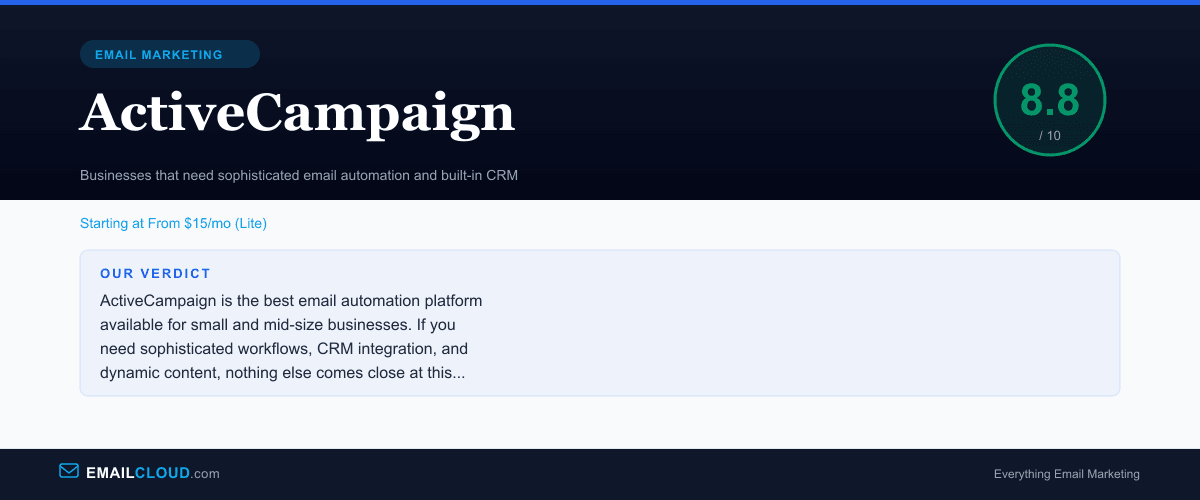
It earns an 8.8. Not perfect, but the best in its class.
Our Verdict
ActiveCampaign is the best email automation platform available for small and mid-size businesses. If you need sophisticated workflows, CRM integration, and dynamic content, nothing else comes close at this price point. The lack of a free plan and steeper learning curve are the only real drawbacks.
Review Summary
Share this visual summary. Right-click to save.
Frequently Asked Questions
Is ActiveCampaign worth the price?
If you actually use automation, absolutely. ActiveCampaign's automation builder is genuinely in a different league — conditional splits, wait conditions, webhooks, CRM triggers, and goal tracking. If you just send newsletters, it is overkill. But for businesses with complex customer journeys, the ROI on automation more than justifies the cost.
Is ActiveCampaign good for beginners?
It is usable for beginners, but not ideal. The interface is feature-dense and the automation builder has a learning curve. If you are just starting with email marketing, platforms like Kit or MailerLite offer a gentler introduction. You can always migrate to ActiveCampaign once you outgrow simpler tools.
How is ActiveCampaign's deliverability?
Very good. ActiveCampaign consistently ranks in the top tier for deliverability in independent tests, typically achieving 93-97% inbox placement. They have strict anti-spam policies and dedicated deliverability infrastructure, which benefits all users on the platform.