AWeber Review: The Reliable Veteran That Prioritizes Deliverability
Pros
- Rock-solid deliverability built on 25+ years of ISP relationships
- Genuinely helpful customer support with fast response times
- Simple autoresponder setup — still among the easiest in the industry
- Good template library with mobile-responsive designs
- AMP email support for interactive emails
Cons
- Interface feels dated compared to modern competitors
- Automation is basic compared to ActiveCampaign or GetResponse
- No built-in CRM or sales pipeline management
- Pricing is no longer competitive for larger lists
- Free plan is limited to 500 subscribers with AWeber branding
What is AWeber?
AWeber is the email marketing equivalent of a Toyota Camry. It is not exciting. It is not flashy. It does not make you feel like you are on the cutting edge of anything. But it starts every morning, it gets you where you need to go, and it will probably outlast the trendier options sitting next to it in the parking lot.
Founded in 1998 by Tom Kulzer, AWeber was one of the original autoresponder services. Before Mailchimp had its monkey, before ConvertKit rebranded to Kit, before half the platforms in this space even existed — AWeber was delivering emails. That longevity is not just a talking point; it translates directly into deliverability. Over 25 years of maintaining relationships with ISPs means AWeber’s sending infrastructure carries a reputation that newer platforms cannot buy or shortcut.
We have used AWeber with clients in niches ranging from financial newsletters to fitness coaching to SaaS onboarding. This review reflects what the platform does well and where it has fallen behind.
Pricing Breakdown
AWeber restructured its pricing in recent years, and while it remains reasonable, it is no longer the bargain it once was:
- Free: 500 subscribers, 3,000 sends/month, 1 landing page, 1 email automation, basic templates, AWeber branding on emails
- Lite ($15/mo): 500 subscribers, unlimited sends, 3 landing pages, 3 automations, remove AWeber branding, basic analytics
- Plus ($30/mo): Unlimited subscribers, advanced automation, unlimited landing pages, split testing, behavioral automation, advanced analytics, priority support
- Unlimited ($899/mo): Personalized account management, dedicated deliverability consultation, advanced audience segmentation
Prices scale with subscriber count on the Lite plan — 2,500 subscribers runs $25/mo, 5,000 runs $45/mo, and 10,000 runs $65/mo. The Plus plan at $30/mo is where AWeber becomes competitive, since it includes unlimited subscribers regardless of list size. That flat-rate model is unusual in the industry and genuinely valuable for businesses with large lists.
The jump to Unlimited at $899/mo is designed for high-volume senders who need white-glove service. Most businesses will never need it.
Key Features We Tested
Email Builder and Templates
AWeber’s email editor is functional and reliable. The drag-and-drop builder handles standard layouts well — header images, text blocks, buttons, social links, product listings. The template library includes over 600 designs, which is one of the larger collections in the industry, though many templates show their age with design patterns from 2018-era aesthetics.
The standout feature is AMP email support, which allows interactive elements (carousels, accordions, forms) directly within the email. AMP adoption has been slow industry-wide, but for businesses that want to create interactive email experiences without relying on external landing pages, AWeber was ahead of the curve.
Template management is straightforward. You can save custom templates, clone existing ones, and organize them by category. HTML import works reliably for teams with custom-coded templates. The preview tool shows rendering across major email clients, which helps catch display issues before sending.
Autoresponders and Automation
AWeber invented the autoresponder, and it still does basic autoresponders exceptionally well. Setting up a time-based drip sequence — welcome email on day 0, follow-up on day 3, offer on day 7 — takes minutes. The interface is clean, the scheduling is precise, and the delivery is reliable.
Where AWeber falls short is in modern automation. The Campaigns feature (their workflow builder) supports triggers, conditions, and branching logic, but the available triggers are limited compared to ActiveCampaign or even GetResponse. You can trigger based on email opens, link clicks, tag additions, and list subscriptions — but behavioral triggers based on website visits, purchase history, or custom events require third-party integrations through Zapier.
For businesses running simple welcome sequences, newsletter funnels, and tag-based segmentation, AWeber’s automation is adequate. For businesses that need multi-branch conditional workflows with CRM triggers and scoring — it is not enough.
Landing Pages
AWeber includes a landing page builder on all plans, including free. The builder is template-based with a drag-and-drop editor that handles opt-in pages, coming-soon pages, and simple sales pages. Templates are clean and mobile-responsive.
The builder is not a replacement for dedicated landing page tools. Customization options are limited — you cannot adjust page layouts beyond what the template structure allows, and advanced features like countdown timers, pop-ups, and multi-step forms are not available. But for creating a quick opt-in page to pair with an email campaign, it eliminates the need for a separate tool.
Deliverability
This is AWeber’s crown jewel. Deliverability rates consistently land in the 94-97% inbox placement range in independent testing — among the highest in the industry. AWeber’s approach to deliverability is almost obsessively conservative: strict acceptable use policies, aggressive list hygiene requirements, and proactive monitoring of sender behavior on their infrastructure.
They maintain dedicated relationships with postmaster teams at Gmail, Microsoft, Yahoo, and other major providers. When deliverability issues arise, AWeber’s team has direct channels to investigate and resolve them — something smaller platforms cannot offer.
For businesses where email deliverability is non-negotiable (financial services, healthcare communications, time-sensitive notifications), AWeber’s track record provides genuine peace of mind. Before sending any campaign, we recommend running your content through our Spam Word Checker to catch trigger words that could hurt inbox placement.
Who Should Use AWeber?
AWeber is the right choice for a specific type of user: someone who values reliability over innovation, who needs excellent deliverability, and who runs straightforward email campaigns without complex automation requirements.
It suits:
- Small business owners sending weekly newsletters and promotional campaigns
- Bloggers and content creators who need a simple autoresponder for lead magnets
- Financial advisors and professionals in regulated industries where deliverability is critical
- Non-technical users who want a platform they can learn in an afternoon
- Long-time AWeber customers whose systems work and see no reason to migrate
Who Should Avoid It?
Ecommerce businesses should look at Klaviyo or Omnisend instead. AWeber lacks native ecommerce integrations for Shopify, abandoned cart automation, and product recommendation features that dedicated ecommerce email platforms provide out of the box.
Growth-stage companies that need sophisticated marketing automation should consider ActiveCampaign or HubSpot. AWeber’s automation capabilities will become a bottleneck as your customer journey complexity increases.
Budget-conscious startups building their first list should evaluate MailerLite’s free plan (1,000 subscribers, more features) or Kit’s free plan (10,000 subscribers for creators) before committing to AWeber’s more restrictive free tier.
The Bottom Line
AWeber is a dependable, well-supported email marketing platform that does the fundamentals exceptionally well. Its deliverability is nearly unmatched, its support team is responsive and knowledgeable, and its autoresponder heritage means basic email sequences work flawlessly.
But the email marketing landscape has evolved, and AWeber has been slow to keep up. The interface feels a generation behind. The automation tools lag meaningfully behind mid-market competitors. And the pricing, while reasonable, no longer offers the value advantage it once held.
If your needs are simple and deliverability is paramount, AWeber earns its place. If you need a platform that grows with your marketing sophistication, you will likely outgrow it.
Our Verdict
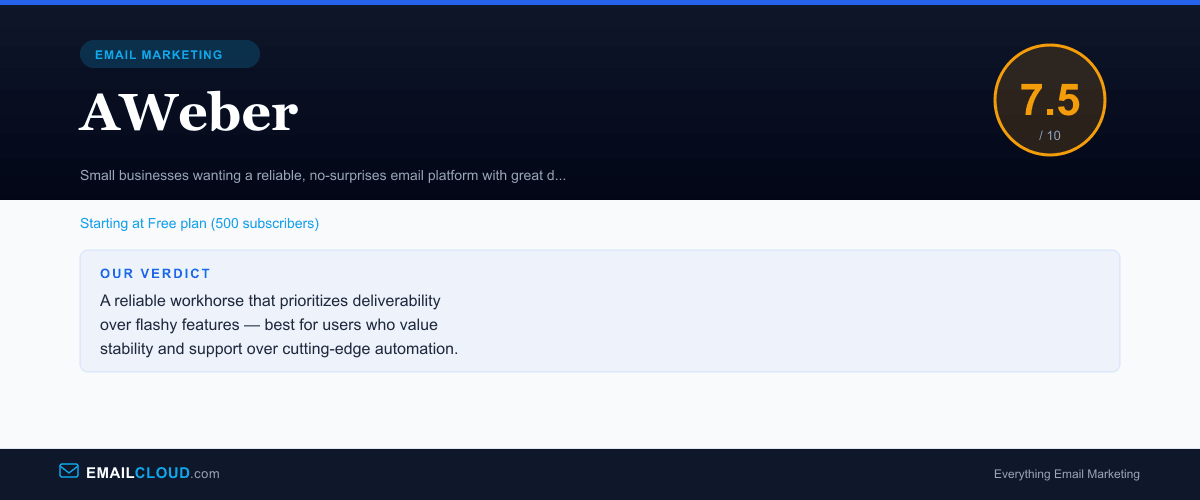
A reliable workhorse that prioritizes deliverability over flashy features — best for users who value stability and support over cutting-edge automation.
Review Summary
Share this visual summary. Right-click to save.
Frequently Asked Questions
Is AWeber still good in 2026?
AWeber remains a reliable platform with excellent deliverability and support. However, it has not kept pace with competitors on features like automation, CRM integration, and modern interface design. For simple email marketing with maximum inbox placement, it still delivers. For advanced workflows, there are better options at similar price points.
How is AWeber's deliverability?
AWeber's deliverability is among the best in the industry, consistently achieving 94-97% inbox placement rates. Their 25+ year track record of maintaining relationships with major ISPs (Gmail, Outlook, Yahoo) gives them an edge in reputation that newer platforms have not matched. They also actively monitor and remove problematic senders from their infrastructure.
What is the best AWeber alternative?
For a similar ease of use with more modern features, MailerLite is the strongest alternative. For advanced automation at a similar price, GetResponse offers more value. For creators and bloggers specifically, Kit provides a better experience. The right alternative depends on whether you prioritize simplicity, automation power, or creator-focused tools.
Does AWeber charge for unsubscribes?
No. AWeber does not count unsubscribed contacts toward your billing limit. This is a meaningful advantage over platforms like Mailchimp that charge for unsubscribed contacts unless you manually archive them. Your subscriber count reflects only active, opted-in contacts.