Buttondown Review: The Minimalist Newsletter Tool for Writers
Pros
- Genuinely simple — no feature bloat or unnecessary complexity
- Markdown-native editor appeals to writers and developers
- Free plan to start with no credit card required
- Full data export and subscriber portability
- Fair, transparent pricing that scales predictably
Cons
- Very limited automation — no drip sequences or behavioral triggers
- No visual email builder or drag-and-drop design
- Small team means slower feature development
- Limited integrations compared to larger platforms
- Not suitable for marketing campaigns or ecommerce
What is Buttondown?
Buttondown is what happens when a software engineer gets frustrated with overcomplicated newsletter tools and builds exactly the tool they want to use. Created by Justin Duke as a side project in 2016, Buttondown is a deliberately minimal newsletter platform that strips away everything except what you actually need to write and send newsletters: an editor, a subscriber list, analytics, and reliable delivery.
The philosophy is opinionated and refreshing in a market obsessed with feature counts. Buttondown does not have a visual drag-and-drop email builder. It does not have automation workflows. It does not have a recommendation algorithm or an ad marketplace. What it has is a clean Markdown editor, straightforward subscriber management, and the kind of transparent simplicity that makes you wonder why every other platform needs 47 features you will never use.
This approach attracts a specific type of user: writers who think of their newsletter as writing, not as marketing. Developers who want Markdown and an API. Small publishers who value data ownership over platform lock-in. Buttondown is not for everyone, and it does not pretend to be.
We evaluated Buttondown alongside full-featured newsletter platforms and traditional email marketing tools. This review covers what it does well, what it deliberately does not do, and who will appreciate the difference.
Pricing Breakdown
Buttondown’s pricing is simple and scales by subscriber count:
- Free: Up to 100 subscribers, Buttondown branding in emails
- Basic ($9/mo): Up to 1,000 subscribers, no branding, custom domain, premium integrations
- Standard ($29/mo): Up to 5,000 subscribers, surveys, automations, multiple newsletters
- Professional ($79/mo): Up to 25,000 subscribers, priority support, dedicated IP, advanced analytics
All paid plans include the full feature set — there are no feature gates between tiers, only subscriber limits. This is a meaningful difference from platforms like beehiiv where monetization features are locked behind higher tiers.
At comparable subscriber counts, Buttondown is competitively priced. For 1,000 subscribers: Buttondown costs $9/mo vs. Kit at $25/mo, MailerLite at $9/mo, and beehiiv at $49/mo (to access premium features). For writers who do not need the marketing and monetization features of larger platforms, the value is clear.
Key Features We Tested
Markdown Editor
Buttondown’s editor is Markdown-native. You write in Markdown, and Buttondown renders it as formatted email. For writers comfortable with Markdown — and for developers who live in it — this is fast, distraction-free, and produces clean, consistent output.
The editor also supports a rich text mode for those who prefer it, but the Markdown experience is clearly the primary focus. You can paste Markdown from any text editor, use keyboard shortcuts, and preview the rendered output before sending.
The absence of a visual builder means you cannot create complex multi-column layouts, embedded product cards, or heavily designed newsletters. Your emails look like writing — clean text with headers, links, images, and occasional formatting. For many newsletter authors, this is not a limitation but a feature. Their subscribers signed up to read their words, not to admire their layouts.
Subscriber Management
Subscriber management is straightforward. You can import contacts via CSV, connect signup forms to your website, and manage subscribers with tags and metadata. Unsubscribes, bounces, and complaints are handled automatically.
Buttondown provides embeddable signup forms and hosted landing pages for collecting subscribers. The forms are functional but minimal — no A/B testing or conversion optimization. For more sophisticated lead capture, you would need to build your own forms and connect via Buttondown’s API.
Analytics
Analytics cover the essential metrics: open rates, click rates, subscriber growth, and per-issue performance. The dashboard is clean and easy to read. There are no engagement scores, cohort analysis, or revenue attribution — these are features designed for marketing platforms, not writing tools.
For most newsletter writers, the core analytics answer the questions that matter: Are people reading? Are they clicking? Is the list growing? Buttondown answers those without burying you in data you do not need.
API and Integrations
Buttondown’s API is clean, well-documented, and reflects the developer-friendly ethos of the platform. You can programmatically manage subscribers, send newsletters, retrieve analytics, and manage metadata. For developers who want to build custom workflows around their newsletter, the API is a genuine strength.
Integrations are limited compared to platforms with 500+ connections. Buttondown integrates with Zapier, Stripe (for paid subscriptions), and a handful of direct integrations. For most newsletter workflows, this covers the necessary ground, but teams with complex tech stacks may find the integration ecosystem limiting.
Paid Subscriptions
Buttondown supports paid newsletters through Stripe integration. You can offer free and premium tiers, gate content behind a paywall, and manage subscriber billing. The implementation works, but it is basic compared to Ghost’s full membership infrastructure or beehiiv’s multi-revenue approach.
For writers testing paid content as a revenue stream, Buttondown’s Stripe integration is a good starting point. For publishers building a subscription business at scale, Ghost or beehiiv offer more sophisticated membership management.
Data Ownership
Buttondown is explicit about data ownership: your subscriber list is yours. You can export your complete subscriber data at any time in standard formats. There is no lock-in, no proprietary data format, and no obstacles to migration. This matters more than most creators realize until they try to leave a platform and discover that exporting their audience data is deliberately difficult.
Who Should Use Buttondown?
Buttondown is built for a specific mindset:
- Writers who want their newsletter tool to stay out of the way and let them write
- Developers who appreciate Markdown, a clean API, and technical simplicity
- Small publishers who value data ownership and want to avoid platform lock-in
- Newsletter hobbyists who do not want to pay for features they will never use
- Privacy-conscious creators who prefer a small, independent tool over a venture-backed platform
Who Should Look Elsewhere?
Anyone who needs email marketing capabilities — automated sequences, behavioral triggers, ecommerce integration, complex segmentation — should use a dedicated email marketing platform like Kit, ActiveCampaign, or GetResponse. Buttondown is a newsletter tool, not a marketing tool.
Creators who want built-in monetization beyond basic paid subscriptions should evaluate beehiiv (ad network, boosts, referral programs) or Ghost (membership infrastructure, 0% platform commission). Buttondown’s monetization is functional but not a core strength.
Visual-first creators who want beautifully designed emails with drag-and-drop layouts should look at MailerLite or Flodesk. Buttondown’s output is text-focused. If your newsletter’s value proposition depends partly on visual design, this is not the right tool.
Publishers seeking audience growth tools — recommendation networks, referral programs, cross-promotion — should consider beehiiv, which is specifically built for newsletter growth. Buttondown has no built-in growth mechanisms beyond signup forms.
Deliverability
Buttondown’s deliverability is solid. The platform handles DKIM, SPF, and DMARC configuration, and professional plans include a dedicated sending IP for complete control over sender reputation. For most newsletter senders with clean lists and legitimate content, deliverability should not be a concern.
The platform’s smaller sending footprint is actually a deliverability advantage. Unlike massive platforms where spammers can degrade shared IP reputation, Buttondown’s user base is predominantly legitimate newsletter publishers, which keeps shared infrastructure clean.
The Bottom Line
Buttondown is the answer to a specific question: what is the simplest tool that does newsletter publishing well? It strips away automation, visual builders, recommendation algorithms, ad marketplaces, and growth hacking features. What remains is a clean editor, reliable delivery, basic analytics, and full data ownership.
For writers and developers who want exactly that — nothing more, nothing less — Buttondown is a quiet triumph of focused product design. For anyone who needs more than a newsletter tool, the limitations are clear and intentional. Buttondown knows what it is, and that clarity is its greatest strength.
Our Verdict
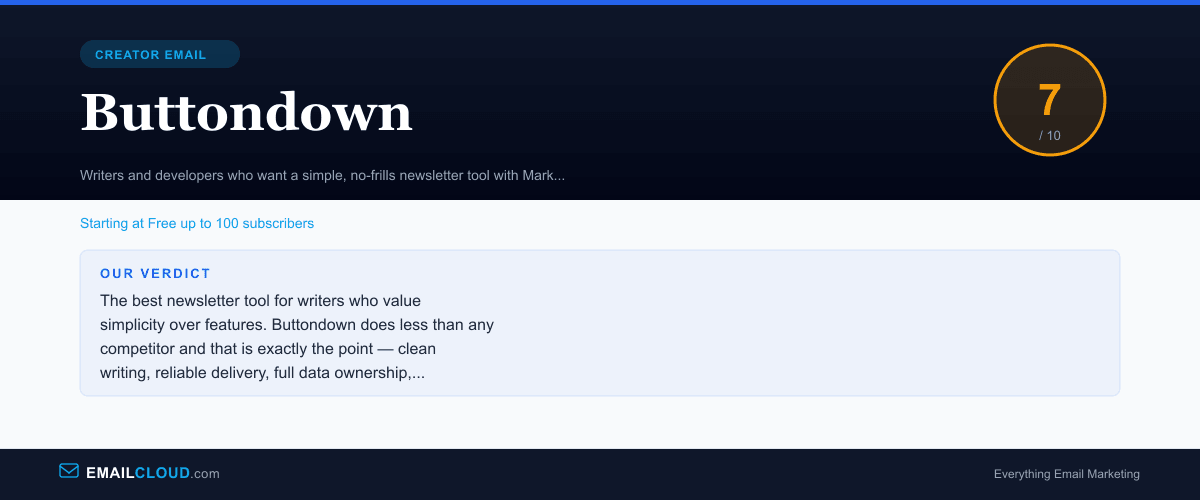
The best newsletter tool for writers who value simplicity over features. Buttondown does less than any competitor and that is exactly the point — clean writing, reliable delivery, full data ownership, and nothing else in the way.
Review Summary
Share this visual summary. Right-click to save.
Frequently Asked Questions
Is Buttondown really free?
Yes. Buttondown offers a free plan for up to 100 subscribers with core newsletter features included. There is no credit card required and no time limit on the free tier. Once you exceed 100 subscribers, paid plans start at $9/mo for up to 1,000 subscribers. The free plan includes Buttondown branding in your emails, which is removed on paid plans.
How does Buttondown compare to Substack?
Buttondown gives you more control. You get custom domains, full design customization through CSS, no platform branding on paid plans, and complete data ownership. Substack is easier to start with and has built-in network effects through its app and recommendation system. If you want simplicity with control, choose Buttondown. If you want built-in audience discovery, Substack has the edge.
Can Buttondown handle paid newsletters?
Yes. Buttondown supports paid subscriptions through Stripe integration. You can gate content behind a paywall and offer free and premium tiers. The implementation is straightforward but basic — beehiiv and Ghost offer more sophisticated membership management for publishers running paid content as a primary business model.
Is Buttondown good for non-technical users?
It depends on your comfort level. The interface is simple, but the Markdown-first approach and CSS-based customization assume some technical literacy. If you are comfortable writing in Markdown or willing to learn, Buttondown is very approachable. If you expect a visual editor with drag-and-drop formatting, MailerLite or Kit would be a better fit.