Constant Contact Review: The Legacy Platform That Time Is Passing By
Pros
- 25+ year track record with a trusted brand name
- Event marketing features that competitors lack
- Social media posting and scheduling tools built in
- Simple drag-and-drop editor that non-technical users appreciate
- Good customer support with phone access on all paid plans
Cons
- No free plan — only a 60-day trial
- Pricing increases significantly with list growth
- Automation capabilities are basic compared to modern platforms
- Template designs feel dated compared to MailerLite or Mailchimp
- Best pricing requires annual contract commitment
What is Constant Contact?
Constant Contact is one of the oldest names in email marketing, and depending on your perspective, that is either its greatest asset or its heaviest burden. Founded in 1995 — before most people had email addresses — the platform has served millions of small businesses with a straightforward promise: simple email marketing with real human support.
For years, that promise was enough. Small business owners, nonprofits, churches, local restaurants, and community organizations chose Constant Contact because it was the email tool their business advisor recommended, the one the local Chamber of Commerce used, and the one where you could call a human being when something went wrong. In an industry increasingly dominated by self-serve platforms with chatbot support, that personal touch still resonates with a specific audience.
But the email marketing landscape has evolved dramatically, and Constant Contact’s evolution has been slow. Competitors like MailerLite, GetResponse, and Brevo offer more features, lower prices, and free plans that Constant Contact does not match. This review examines what the platform does well, where it falls short, and whether its legacy advantages still justify the price.
Pricing Breakdown
Constant Contact’s pricing is straightforward but not competitive. There is no free plan — only a 60-day free trial that requires a credit card:
- Lite ($12/mo for 500 contacts): Basic email marketing, drag-and-drop editor, social posting, event management, 1 user, 10x contact monthly sends
- Standard ($35/mo for 500 contacts): Everything in Lite plus automation, A/B subject line testing, contact segmentation, scheduled social posts, 3 users
- Premium ($80/mo for 500 contacts): Everything in Standard plus dynamic content, SEO recommendations, Google Ads integration, custom automations, unlimited users
Prices scale with contact count, and this is where it gets painful:
- 2,500 contacts: Lite $35/mo, Standard $55/mo, Premium $110/mo
- 5,000 contacts: Lite $55/mo, Standard $75/mo, Premium $150/mo
- 10,000 contacts: Lite $80/mo, Standard $110/mo, Premium $200/mo
- 25,000 contacts: Lite $155/mo, Standard $210/mo, Premium $340/mo
At 10,000 contacts on Standard, Constant Contact costs $110/mo. GetResponse’s equivalent plan with more features (webinars, landing pages, advanced automation) runs $54/mo. MailerLite’s Advanced plan with similar capabilities costs $77/mo. Brevo charges based on email volume rather than contacts, starting at $9/mo with unlimited contacts stored. The pricing gap is significant and difficult to justify on features alone.
Annual prepayment discounts help — typically 15-20% off monthly pricing — but they lock you into a commitment. Monthly billing offers flexibility at a premium.
Key Features We Tested
Email Builder
Constant Contact’s drag-and-drop editor is genuinely easy to use. Content blocks include text, images, buttons, dividers, social sharing, products, donations, and event listings. The interface is intuitive enough that a non-technical small business owner can create a presentable email in 20 minutes without reading documentation or watching tutorials.
The template library includes around 200 designs organized by industry and purpose (holiday, promotion, newsletter, announcement, event). The designs are functional and mobile-responsive, though many feel a generation behind the cleaner, more modern aesthetics offered by MailerLite and Mailchimp. If your brand is traditional and professional, the templates work fine. If you are aiming for contemporary and design-forward, you may find them limiting.
The editor also includes a brand kit feature that extracts colors, logos, and fonts from your website and applies them to templates automatically. For small businesses without design resources, this is a helpful time-saver.
Event Marketing
This is Constant Contact’s most distinctive feature and the one capability that genuinely differentiates it from competitors. The platform includes built-in event management tools that handle:
- Event creation with registration pages
- Ticket sales and payment processing
- Automated invitation and reminder emails
- RSVP tracking and attendee management
- Post-event follow-up campaigns
- Integration with Eventbrite for larger events
For organizations that regularly host events — nonprofits running fundraisers, restaurants promoting tasting nights, community organizations managing workshops, small businesses hosting open houses — this integrated event-to-email workflow eliminates the need for a separate event platform. The registration data flows directly into your contact list, and you can segment attendees for targeted follow-up campaigns.
No other mainstream email marketing platform offers this level of event management integration. If events are a core part of your marketing strategy, this feature alone could justify choosing Constant Contact.
Social Media Management
Constant Contact includes basic social media management tools: scheduled posting to Facebook, Instagram, Twitter, and LinkedIn; social analytics; and the ability to create social posts directly from the platform. The social tools are not as capable as dedicated platforms like Buffer or Hootsuite, but for small businesses that want to manage email and social posting from one dashboard, they add convenience.
The social ads integration allows you to create and manage Facebook and Instagram ads from within Constant Contact, including lookalike audience targeting based on your email list. This cross-channel capability is useful for small businesses that lack the expertise or budget for separate social advertising tools.
Automation
Automation is Constant Contact’s weakest area relative to the competition. The Standard plan includes basic automation: welcome email series, birthday emails, anniversary messages, and re-engagement campaigns. The visual path builder lets you create simple sequential workflows with timing controls.
But the automation lacks the conditional branching, scoring, and behavioral triggers that platforms like ActiveCampaign and GetResponse provide. You cannot create complex if/then workflows based on website behavior, purchase history, or engagement scoring. For businesses that depend on sophisticated automated nurture sequences, Constant Contact’s automation will feel frustratingly limited.
The Premium plan adds custom automations with more trigger options and conditional logic, but at $80+/mo, you are paying more than ActiveCampaign’s full-featured automation plans for less capability.
Who Should Use Constant Contact?
Constant Contact serves a specific user well: the small business owner or nonprofit administrator who values simplicity, personal support, and a platform they can trust without needing to become a marketing technologist.
It is particularly well-suited for:
- Local businesses (restaurants, salons, retail stores) sending weekly promotions to a local customer base
- Nonprofits that need event management, donation pages, and member communications
- Organizations that regularly host events and want registration, ticketing, and email follow-up in one tool
- Non-technical users who prioritize phone support and guided setup over feature depth
- Businesses in the Constant Contact ecosystem with established lists and workflows that would be painful to migrate
Who Should Avoid It?
Growing businesses that need automation should look at ActiveCampaign or GetResponse. Constant Contact’s automation is too limited for businesses with complex customer journeys or multi-touch nurture campaigns.
Budget-conscious startups should start with MailerLite or Brevo, both of which offer free plans with more features than Constant Contact’s paid Lite plan. Paying $35/mo for capabilities you can get free elsewhere is a hard sell for cash-strapped new businesses.
Ecommerce stores should use Klaviyo or Omnisend, which offer product-level segmentation, abandoned cart workflows, and store integrations that Constant Contact cannot match.
Creator and newsletter businesses should look at beehiiv or Kit, which are purpose-built for audience-first content businesses with monetization, referral programs, and clean writing experiences.
Deliverability
Constant Contact’s deliverability is respectable, typically in the 91-94% inbox placement range. The platform has maintained clean sending infrastructure over its 25+ year history and enforces content and list hygiene policies that keep its reputation intact. Authentication setup (SPF, DKIM) is well-documented with step-by-step guides.
Dedicated IPs are not available on standard plans — all users share sending infrastructure. For most small businesses sending to engaged lists, shared IPs with good platform-wide reputation perform well. Use our Spam Word Checker to scan your email copy before sending, especially for promotional content that may contain trigger phrases.
The Bottom Line
Constant Contact is a reliable, well-supported platform that does basic email marketing competently. The event marketing tools are genuinely unique and valuable for organizations that host events regularly. Phone support on all plans provides a safety net that many competitors have eliminated. And the brand’s 25+ year track record offers a comfort level that newer platforms have not earned.
But comfort and legacy are not enough to overcome the value gap. At nearly every price point, competing platforms offer more features, better automation, and lower costs. For businesses choosing a platform in 2026, Constant Contact needs to offer a compelling reason beyond familiarity — and for most users, event marketing and phone support are not enough to bridge that gap.
Our Verdict
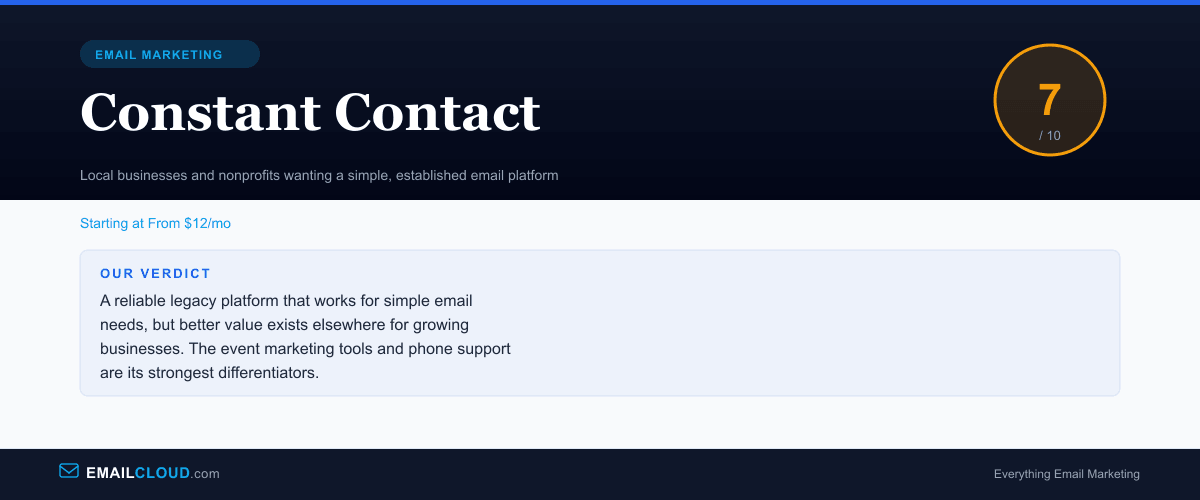
A reliable legacy platform that works for simple email needs, but better value exists elsewhere for growing businesses. The event marketing tools and phone support are its strongest differentiators.
Review Summary
Share this visual summary. Right-click to save.
Frequently Asked Questions
Is Constant Contact worth the price?
For local businesses and nonprofits that value simplicity and phone support, it can be. But objectively, better value exists elsewhere. MailerLite, GetResponse, and Brevo all offer more features at lower prices. Constant Contact's main advantages are its event management tools, brand recognition, and phone support — which matter more to some businesses than raw feature comparisons.
Why doesn't Constant Contact have a free plan?
Constant Contact has opted for a 60-day free trial instead of a permanent free tier. This reflects their positioning as a premium, supported platform rather than a self-serve tool. The trial gives you full access to all features, but you must enter a credit card and remember to cancel if you decide against it. Most competitors offer free plans, which makes this a notable gap.
What is the best Constant Contact alternative?
MailerLite is the closest alternative for users who want simplicity at a lower price. GetResponse offers more features (landing pages, webinars, automation) at similar pricing. For nonprofits specifically, Mailchimp offers a 15% discount and has stronger donor management integrations. The right alternative depends on whether you prioritize price, features, or ease of use.
Does Constant Contact work for nonprofits?
Constant Contact offers a 20% discount for nonprofits who prepay for 6 months, and 30% off for annual prepayment. The event management features are genuinely useful for fundraisers, galas, and community events. The donation landing page feature helps collect contributions. For small nonprofits with simple email needs, it is a reasonable choice — though the lack of a free plan is a barrier for organizations with tight budgets.