GetResponse Review: The All-in-One Platform That Actually Delivers
Pros
- Generous free plan with up to 500 contacts
- Built-in webinar hosting (unique among email platforms)
- Powerful visual automation builder with pre-built workflows
- Landing page builder included on all plans
- Excellent deliverability rates (consistently 95%+)
- Conversion funnels bring everything under one roof
Cons
- Interface can feel cluttered for beginners
- Advanced automation only on higher-tier plans
- Template designs feel slightly dated compared to newer competitors
- Phone support limited to top-tier plans
What is GetResponse?
GetResponse started as a simple autoresponder back in 1998, and that heritage still shows in the best possible way. While other platforms from that era either stagnated or disappeared, GetResponse evolved into something genuinely impressive — a comprehensive marketing platform that bundles email marketing, automation, landing pages, webinars, conversion funnels, and a website builder under one subscription. Today it serves over 400,000 businesses across 183 countries.
What makes GetResponse worth paying attention to in 2026 is not any single feature but the combination. In a market where most email platforms do one thing well and tack on extras as half-baked afterthoughts, GetResponse has built genuinely useful capabilities across multiple categories. The webinar hosting, in particular, remains unique among mainstream email marketing platforms. For businesses tired of paying $30/mo for email, $50/mo for webinars, and $20/mo for landing pages, GetResponse consolidates all three at a price point that makes the math easy.
We have used GetResponse for client campaigns spanning course launches, SaaS onboarding, ecommerce lifecycle marketing, and B2B lead nurturing. This review reflects real usage across those contexts, not a feature checklist copied from a marketing page.
Pricing Breakdown
GetResponse uses a tiered pricing model based on list size. All paid plans include unlimited email sends, which is increasingly rare as competitors shift to per-send billing models. Here is the current pricing as of early 2026:
- Free: Up to 500 contacts, basic email marketing, 1 landing page, website builder access, limited forms and popups
- Email Marketing ($15.6/mo for 1,000 contacts, billed annually): Unlimited newsletters, autoresponders, basic segmentation, A/B testing, scheduling, unlimited landing pages
- Marketing Automation ($48.4/mo for 1,000 contacts, annual): Visual workflow builder, webinars (100 attendees), advanced segmentation, contact scoring, event-based triggers, sales funnels
- Ecommerce Marketing ($97.6/mo for 1,000 contacts, annual): Ecommerce integrations, transactional emails, product recommendations, abandoned cart recovery, promo codes, web push notifications
Scaling by list size on the Email Marketing plan:
- 1,000 contacts: $15.6/mo
- 2,500 contacts: $27.3/mo
- 5,000 contacts: $44.3/mo
- 10,000 contacts: $54/mo
- 25,000 contacts: $141/mo
- 50,000 contacts: $245/mo
At 10,000 contacts, GetResponse’s Email Marketing plan at $54/mo compares favorably to Mailchimp Standard at roughly $100/mo and ActiveCampaign Lite at approximately $79/mo. The Marketing Automation plan at $78/mo for 10,000 contacts includes features (webinars, conversion funnels, scoring) that would cost $150-200/mo combined on competing platforms.
Monthly billing runs about 20% higher than the annual pricing shown above. There is also a 24-month billing option with slightly deeper discounts. For businesses committed to the platform, annual billing offers the best value.
Key Features We Tested
Email Builder and Templates
The drag-and-drop email editor is workmanlike — solid, reliable, and functional without being exciting. It handles standard content blocks well: text, images, buttons, columns, social links, product listings, video thumbnails, and custom HTML. The template library includes over 100 responsive designs covering newsletters, promotions, announcements, and ecommerce campaigns.
The templates are professional but will not win design competitions. Compared to Mailchimp’s polished, magazine-quality templates or MailerLite’s clean modern layouts, GetResponse’s designs feel a half-step behind. That said, the emails render consistently across clients, and the editor rarely produces the broken-layout surprises that plague less mature builders.
The real productivity feature is reusable content blocks. You can save headers, footers, product sections, and CTAs as blocks and drop them into any future email. For teams sending regular campaigns, this saves meaningful time and ensures brand consistency across sends.
Dynamic content is available on the Marketing Automation plan and above, allowing different content blocks to display based on contact properties or segment membership. This personalization capability is powerful for businesses that serve multiple audience segments from a single campaign.
Marketing Automation
This is where GetResponse justifies its existence for businesses that need more than a newsletter tool. The visual workflow builder is genuinely well-designed — intuitive enough for first-time automation users but deep enough for experienced marketers building complex sequences.
The builder supports:
- Triggers: Form submission, list subscription, tag added, link clicked, email opened, landing page visit, purchase, webinar registration, custom event via API, date-based
- Conditions: If/else branching based on any contact property, segment membership, engagement score, or custom field value
- Actions: Send email, send SMS (via integration), wait, add/remove tag, move to list, update custom field, score contact, send webhook, subscribe to another workflow
Pre-built workflow templates cover common scenarios: welcome series, lead magnet delivery, webinar registration flow, abandoned cart recovery, re-engagement campaign, lead scoring, and birthday automation. These templates are fully customizable and serve as useful starting points.
Contact scoring deserves special mention. GetResponse lets you assign point values to engagement actions (email open: 3 points, link click: 5 points, page visit: 7 points, webinar attendance: 15 points) and set score-based triggers. When a contact reaches a threshold score, they can automatically move to a “hot leads” list, notify your sales team via webhook, or trigger a high-intent email sequence. For B2B businesses and course creators, this scoring system provides genuine pipeline intelligence.
Webinar Platform
GetResponse is the only major email marketing platform with built-in webinar hosting, and this integration creates a workflow that standalone webinar tools cannot match. The webinar feature handles:
- Registration page creation (using the landing page builder)
- Automated confirmation and reminder emails
- Live broadcast with screen sharing, chat, polls, and file sharing
- Webinar recording and replay hosting
- Post-event follow-up automation based on attendance (showed up, did not show, left early)
The Marketing Automation plan supports 100 attendees; higher tiers increase the limit to 300 and 1,000. For small businesses using webinars as a lead generation or sales tool — coaches, consultants, course creators, SaaS companies — this integration eliminates the need for a separate webinar platform (Zoom Webinars at $79/mo, WebinarJam at $99/mo) and keeps all attendee data within the email marketing ecosystem.
The webinar experience itself is functional without being cutting-edge. Video quality depends on your connection, chat works reliably, and the polling feature gets decent engagement. It will not replace Zoom for team meetings, but for marketing webinars where the goal is education and conversion, it performs well.
Landing Pages
Every paid GetResponse plan includes a landing page builder with no limit on the number of pages you can create. The builder uses a drag-and-drop editor with templates organized by purpose: opt-in, webinar registration, sales page, thank-you page, coming-soon page.
The templates are clean and conversion-focused. Customization options include text, images, video, countdown timers, forms, buttons, and social proof elements. Pages are mobile-responsive and load quickly on the GetResponse CDN. A/B testing is available on the Email Marketing plan and above, letting you test headlines, form placement, and CTA copy.
The landing page builder is not a replacement for dedicated tools like Leadpages or Unbounce for power users who need pixel-perfect control and advanced widget libraries. But for the majority of marketing use cases — lead capture, webinar registration, simple product sales — it eliminates a separate subscription and keeps conversion data integrated with your email list.
Conversion Funnels
GetResponse’s Conversion Funnels feature (formerly Autofunnel) brings landing pages, email sequences, product pages, and payment processing into a single guided workflow. You choose a funnel type (list building, sales, webinar), and the platform walks you through creating each step with pre-built templates and recommended sequences.
For solopreneurs and small businesses selling digital products, this feature removes the complexity of stitching together separate tools for landing pages, email, and payments. The funnel view shows conversion rates at each step, making optimization intuitive.
The ecommerce integration supports Shopify, PayPal, Stripe, and Square for payment processing. Product pages are basic but functional — adequate for digital products, courses, and services, though physical product stores will need a dedicated ecommerce platform.
Who Should Use GetResponse?
GetResponse is the strongest fit for small to mid-size businesses that want to consolidate their marketing stack without sacrificing capability. If you are currently paying for separate email, landing page, and webinar tools — or if you want to add webinars and funnels to your marketing without new subscriptions — GetResponse likely saves money while adding features.
It is particularly well-suited for:
- Course creators and coaches who use webinars as a lead generation and sales tool
- Solopreneurs who want one platform instead of juggling five separate subscriptions
- Small businesses that need automation beyond simple autoresponders but are not ready for ActiveCampaign’s complexity
- Affiliate marketers building funnels with email follow-up sequences
- B2B companies that need lead scoring, webinar integration, and multi-step nurture campaigns
Who Should Avoid It?
Ecommerce businesses running serious Shopify stores should look at Klaviyo or Omnisend instead. While GetResponse has ecommerce features on its highest tier, the product-level data integration does not match purpose-built ecommerce email platforms.
Enterprise marketing teams with complex CRM requirements should evaluate HubSpot, which offers deeper reporting, attribution modeling, and cross-department data integration. GetResponse is a marketing tool; HubSpot is a business platform.
Businesses that primarily need beautiful email design should consider MailerLite or Mailchimp, both of which offer more polished templates and more flexible email builders. GetResponse’s emails are professional, but design is not its leading edge.
Deliverability
GetResponse’s deliverability is one of its strongest selling points. Independent tests consistently show 95%+ inbox placement rates, putting it in the top tier alongside AWeber and ActiveCampaign. The platform’s 25+ year sending history translates into robust ISP relationships and a clean infrastructure reputation.
Authentication setup for SPF, DKIM, and DMARC is well-documented with step-by-step guides. Dedicated IP addresses are available on higher-tier plans for businesses that need maximum control over their sender reputation.
GetResponse also includes a spam-testing feature that checks your email against common spam filter rules before sending. Combined with clean list management and consistent sending patterns, the platform makes it straightforward to maintain strong inbox placement. You can also run subject lines through our Subject Line Grader to optimize open rates before hitting send.
The Bottom Line
GetResponse will not win beauty pageants. The interface is feature-dense rather than elegant. The templates are professional rather than inspired. But on value — features delivered per dollar spent — GetResponse is remarkably difficult to beat.
The combination of solid email marketing, genuinely powerful automation, built-in webinar hosting, landing pages, conversion funnels, and reliable deliverability creates a platform that replaces three or four separate subscriptions for most small businesses. At $15.6/mo to start and $54/mo at scale, the price-to-capability ratio outperforms nearly every competitor in this category.
If you value substance over aesthetics and want a platform that grows with your marketing sophistication, GetResponse deserves serious consideration. It earns its 8.5 rating through consistent delivery across every feature it offers — not flash, just results.
Our Verdict
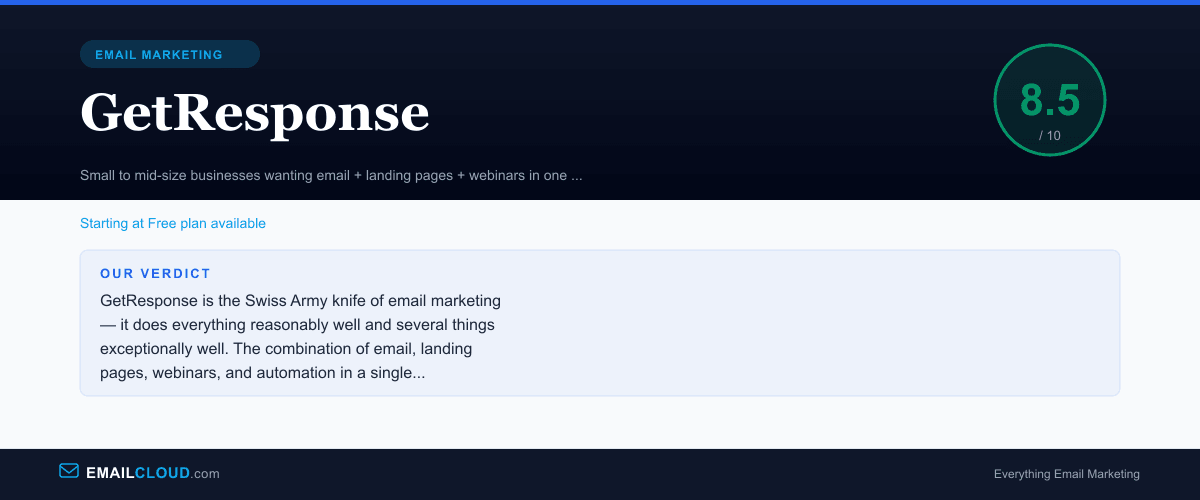
GetResponse is the Swiss Army knife of email marketing — it does everything reasonably well and several things exceptionally well. The combination of email, landing pages, webinars, and automation in a single platform makes it hard to beat on value, especially for businesses that would otherwise need to cobble together three or four separate tools.
Review Summary
Share this visual summary. Right-click to save.
Frequently Asked Questions
Is GetResponse good for beginners?
Yes. The free plan gives you room to learn without financial commitment, and the visual automation builder is intuitive enough for first-timers. That said, the sheer number of features can feel overwhelming at first — we recommend starting with email broadcasts before exploring automation.
How does GetResponse compare to Mailchimp?
GetResponse offers more value per dollar, especially once you factor in landing pages, webinars, and automation workflows that Mailchimp charges extra for. Mailchimp has stronger brand recognition and a slightly more polished interface, but GetResponse wins on features-per-dollar for growing businesses.
What is GetResponse's deliverability rate?
GetResponse consistently delivers 95%+ inbox placement rates in independent tests. They maintain strong ISP relationships and offer dedicated IP addresses on higher-tier plans for senders who need maximum control.
Does GetResponse offer a free plan?
Yes. GetResponse offers a free-forever plan that includes up to 500 contacts, basic email marketing, one landing page, and website builder access. No credit card required to start.