HubSpot Review: The Enterprise CRM That Starts Free
Pros
- Free CRM is genuinely excellent and usable long-term
- Marketing, sales, and service hubs under one roof
- Incredible reporting and attribution modeling
- Content management system built in
- Huge integration ecosystem with 1,400+ apps
Cons
- Gets expensive fast at scale — Professional tier is $890/mo
- Steep learning curve for new users
- Free plan email limits are tight (2,000 sends/month)
- Features are heavily gated by tier
- Overkill for small businesses with simple needs
What is HubSpot?
HubSpot is the platform that invented inbound marketing — both the philosophy and the software to execute it. Founded in 2006 by Brian Halligan and Dharmesh Shah, HubSpot grew from a blog about marketing methodology into a publicly traded company worth over $30 billion. Today it serves more than 200,000 businesses with an integrated suite covering marketing, sales, customer service, content management, and operations.
The core premise has always been straightforward: instead of managing your marketing stack across a dozen disconnected tools, put everything in one system where data flows freely between departments. Your marketing team sees what sales is doing. Sales sees which content a lead consumed before booking a demo. Support sees the entire customer history. In practice, this unified data model is HubSpot’s greatest competitive advantage — and the primary reason companies pay premium prices to stay on the platform.
We have deployed HubSpot across B2B companies ranging from 5-person startups to 200-person mid-market firms. This review reflects what works, what frustrates, and who should actually be paying for it.
Pricing Breakdown
HubSpot’s pricing is the elephant in every room where the platform gets discussed. The free tier is genuinely generous. The paid tiers get expensive fast. Here is the Marketing Hub pricing as of early 2026:
- Free: CRM, 2,000 marketing emails/month, forms, landing pages (HubSpot branding), email tracking, meeting scheduler, basic reporting
- Starter ($20/mo): Remove HubSpot branding, 5x contact tier email sends, simple automation, landing pages, ad retargeting, payments
- Professional ($890/mo): Marketing automation, ABM tools, custom reporting, A/B testing, omnichannel automation, campaign management, SEO tools, social media management
- Enterprise ($3,600/mo): Adaptive testing, predictive lead scoring, multi-touch revenue attribution, custom objects, hierarchical teams
The pricing jump from Starter to Professional is where most small businesses hit a wall. That $870/mo gap is not a gradual ramp — it is a cliff. And many of the features people associate with HubSpot (real automation workflows, A/B testing, custom reports) live on the Professional tier. The Starter plan is useful but limited; the Professional plan is powerful but expensive.
Contact-based pricing adds to the cost. The Professional plan includes 2,000 marketing contacts, and additional contacts cost $250/mo per 5,000. A 25,000-contact list on Professional runs roughly $2,000/mo before adding any other Hubs.
Key Features We Tested
CRM and Contact Management
HubSpot’s free CRM is the best free CRM available, period. Contact records are detailed, customizable, and automatically enriched with company data. The timeline view shows every interaction — emails sent, pages visited, forms submitted, deals created, support tickets — in chronological order. Deal pipeline management is intuitive, with drag-and-drop stages and customizable properties.
The CRM integrates with Gmail and Outlook for email tracking, providing real-time notifications when contacts open emails or click links. Meeting scheduling eliminates the back-and-forth of booking calls. And because the CRM is the foundation of the entire platform, every other Hub inherits this contact data, which means marketing, sales, and service teams all work from the same record.
Marketing Automation
On the Professional tier and above, HubSpot’s automation is enterprise-grade. The visual workflow builder supports complex branching logic with if/then conditions, delays, enrollment triggers, and goal criteria. You can automate email sequences, internal notifications, property updates, deal creation, list management, lead rotation, and task assignments.
What separates HubSpot’s automation from platforms like ActiveCampaign is the breadth of triggers available. Because HubSpot tracks website behavior, form submissions, email engagement, ad interactions, and CRM activities, your automation can respond to signals across the entire customer journey — not just email behavior. A workflow can trigger when a contact visits your pricing page three times, has a deal value above $10K, and has not spoken to sales in two weeks. That cross-channel awareness is difficult to replicate on standalone email platforms.
Reporting and Attribution
HubSpot’s reporting is exceptional at the Professional and Enterprise tiers. Custom report builder lets you create reports from any combination of data objects — contacts, companies, deals, tickets, activities, marketing events. Dashboard creation is drag-and-drop with dozens of visualization types.
The standout feature is multi-touch revenue attribution. You can see exactly which marketing touchpoints (blog posts, emails, ads, social media, landing pages) contributed to closed deals, using models like first-touch, last-touch, linear, U-shaped, or W-shaped attribution. For B2B companies with long sales cycles and multiple stakeholders, this reporting alone can justify the platform cost by answering the question every CMO asks: “Which marketing activities are actually driving revenue?”
Content and SEO Tools
HubSpot includes a full content management system, blog hosting, and SEO recommendations on Professional plans and above. The SEO tool analyzes your content against target keywords, suggests internal linking opportunities, and tracks search performance over time. The blog editor is solid — not as flexible as WordPress, but adequate for companies that want to consolidate their content and marketing on a single platform.
Landing pages are available on all plans, though the free and Starter versions carry HubSpot branding. The page builder uses a module-based system with templates that look professional out of the box. A/B testing for pages is available on Professional.
Who Should Use HubSpot?
HubSpot is the right choice for B2B companies with a sales team, a marketing team, and a genuine need for alignment between the two. If you are running inbound marketing campaigns, nurturing leads through a multi-touch sales process, and need closed-loop reporting on marketing ROI — HubSpot is built for exactly this workflow.
It is particularly strong for:
- B2B SaaS companies with 10-500 employees and a structured sales process
- Professional services firms (agencies, consulting, legal, accounting) using content marketing to generate leads
- Mid-market companies ready to invest in marketing infrastructure that scales
- Companies already using HubSpot CRM that want to add marketing capabilities without migrating data
Who Should Avoid It?
Solopreneurs and micro-businesses should not pay for HubSpot’s Marketing Hub. The free CRM is worth using, but the paid marketing tools are priced for companies with marketing budgets, not individual operators. Platforms like Systeme.io, GetResponse, or MailerLite provide far more value at the sub-$100/mo price point.
Ecommerce businesses are also not HubSpot’s sweet spot. While ecommerce integrations exist, platforms like Klaviyo and Omnisend are purpose-built for online stores and offer deeper product-level data, abandoned cart flows, and purchase-based segmentation that HubSpot cannot match without significant customization.
Companies that only need email marketing — even good email marketing — are overpaying for HubSpot. If you do not need the CRM, sales tools, content management, and cross-department reporting, you are paying for a platform whose primary value proposition you are not using.
Deliverability
HubSpot’s email deliverability is strong, typically landing in the 93-96% inbox placement range. The platform enforces strict sending policies, which keeps its shared IP reputation clean. Dedicated IPs are available on higher tiers. Authentication setup (SPF, DKIM, DMARC) is well-documented, and HubSpot’s deliverability team actively monitors sending reputation across its infrastructure.
The tight sending limits on lower plans (2,000 emails/mo on free, 5x contact tier on Starter) actually help deliverability by preventing over-sending — though they can be frustrating for businesses that want to send more frequently.
The Bottom Line
HubSpot is an exceptional platform for the companies it is designed for. The unified CRM, the depth of automation, the attribution reporting, and the cross-department data model create genuine business value that is difficult to replicate by stitching together separate tools. If you are a B2B company with a marketing budget north of $1,000/mo and a need for marketing-sales alignment, HubSpot is the platform to evaluate first.
But it is not for everyone, and HubSpot’s pricing structure ensures that the platform self-selects for companies with real budgets. The free CRM is a genuine gift to the business community. The paid Marketing Hub is a serious investment that demands serious utilization to justify its cost.
Our Verdict
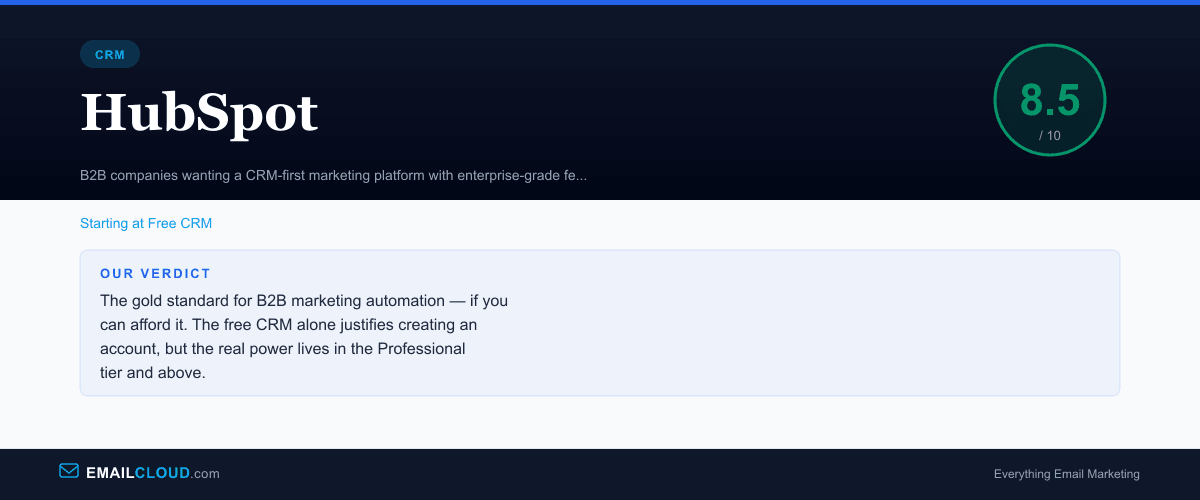
The gold standard for B2B marketing automation — if you can afford it. The free CRM alone justifies creating an account, but the real power lives in the Professional tier and above.
Review Summary
Share this visual summary. Right-click to save.
Frequently Asked Questions
Is HubSpot's free CRM really free?
Yes. HubSpot's free CRM includes contact management, deal tracking, email tracking, meeting scheduling, and basic reporting — with no time limit and no credit card required. The catch is that advanced features like automation, custom reporting, and A/B testing require paid Marketing Hub plans that start at $20/mo and scale to $890+/mo for Professional.
Is HubSpot worth it for small businesses?
The free CRM is worth it for any business. But the paid Marketing Hub plans are priced for mid-market and enterprise companies. If you are a solopreneur or micro-business, the $890/mo Professional tier — where most of the powerful features live — is likely out of budget. Platforms like GetResponse or ActiveCampaign offer better value at smaller scale.
How does HubSpot compare to Salesforce?
HubSpot is generally easier to implement and more marketer-friendly. Salesforce is more customizable and better for complex enterprise sales processes. HubSpot's advantage is that marketing, sales, and service live in one platform without requiring a systems integrator. Salesforce's advantage is virtually unlimited configurability. For most companies under 500 employees, HubSpot is the better fit.
What are HubSpot's email sending limits?
The free plan allows 2,000 marketing emails per month. The Starter plan ($20/mo) allows 5x your contact tier. Professional ($890/mo) gives 10x your contact tier. These limits can become a bottleneck for businesses with large lists and frequent send cadences.