Keap Review: CRM and Email Automation for Small Business
Pros
- True all-in-one platform — CRM, email, automation, invoicing, and appointments
- Automation builder handles complex multi-step business processes
- Built-in invoicing and payment processing streamlines client management
- Appointment scheduling integrated with CRM and email workflows
Cons
- Extremely expensive — $249/mo minimum with per-contact scaling
- Interface feels dated compared to modern alternatives
- Steep learning curve despite simplification efforts
- Email design tools are basic and behind competitors
- Legacy Infusionsoft reputation for complexity and cost still applies
- Limited ecommerce capabilities compared to dedicated platforms
What is Keap?
Keap is the platform formerly known as Infusionsoft — a name that still triggers strong reactions among small business owners and marketing consultants. Infusionsoft was a pioneer in small business CRM and email automation, launching in 2001 and spending a decade building one of the most powerful (and most complex) automation platforms available to non-enterprise businesses. The power was real. The complexity was also real. And the pricing was always premium.
The 2019 rebrand to Keap was an attempt to reposition the product for a broader audience. The interface was simplified, pricing was restructured, and the marketing shifted from “powerful automation” to “small business growth platform.” The underlying capabilities remain — CRM, email marketing, automation workflows, invoicing, payment processing, and appointment scheduling — bundled into a single platform.
We have evaluated Keap for service businesses, consultants, coaches, and small B2B companies. The central question in every case is the same: does the all-in-one convenience justify a price tag that starts at $249/mo and climbs with contact count? This review provides an honest answer.
Pricing Breakdown
Keap’s pricing is straightforward but expensive:
- Keap ($249/mo for 1,500 contacts): CRM, email and text marketing, automation builder, sales pipeline, invoicing and payments, appointment scheduling, landing pages, 2 user seats
Additional contacts increase the price:
- 5,000 contacts: approximately $329/mo
- 10,000 contacts: approximately $429/mo
- 25,000 contacts: approximately $599/mo
Additional user seats are $29/mo each. A team of five with 10,000 contacts runs approximately $516/mo.
Annual billing saves roughly 17%. A 14-day free trial is available.
For comparison, here is what the components cost separately:
- HubSpot CRM: Free (with paid email marketing from $50/mo)
- ActiveCampaign: $49/mo for CRM + email automation at 1,000 contacts
- Calendly: $12/mo for scheduling
- FreshBooks: $17/mo for invoicing
That combination — $128/mo total — delivers most of what Keap offers at roughly half the price. The tradeoff is managing four separate tools instead of one integrated platform.
Key Features We Tested
CRM and Contact Management
Keap’s CRM is functional and covers the essential needs of small service businesses. Contact records store interaction history, email engagement, purchase history, appointment history, and custom fields. The interface shows a contact’s complete journey with your business in a single view.
The CRM includes lead scoring based on email engagement, website visits, and form submissions. Tags provide flexible categorization. Custom fields support any data type your business needs to track. The company view links contacts to organizations, which is useful for B2B businesses managing multiple contacts at the same company.
Compared to HubSpot’s free CRM, Keap’s contact management is roughly equivalent in functionality. Compared to Salesforce, it is significantly simpler — which is appropriate for its small business audience but limiting for companies with complex sales processes.
Automation Builder
The automation builder is Keap’s strongest feature and the clearest remnant of its Infusionsoft heritage. You can build multi-step workflows triggered by contact actions, form submissions, tag applications, purchase events, date conditions, and more.
Example automation: A new lead fills out a contact form. The automation creates a CRM contact, applies a lead tag, sends a welcome email, waits two days, sends a follow-up email, checks if the contact clicked a link, and if so creates an appointment invitation. If the contact books an appointment, the automation sends a confirmation and a reminder the day before. If they do not book within a week, a different follow-up sequence begins.
This kind of multi-path, conditional automation is genuinely useful for service businesses with complex client onboarding processes. ActiveCampaign’s automation builder is comparable in capability and cheaper, but Keap’s integration with invoicing and scheduling creates workflows that span the entire client lifecycle — from lead to booked appointment to paid invoice — without leaving the platform.
Email Marketing
Keap’s email marketing features are adequate but unremarkable. The email builder supports drag-and-drop editing with standard content blocks. Templates are available but limited in design quality compared to MailerLite, Mailchimp, or Kit. The builder gets the job done for basic business communications — appointment reminders, follow-up sequences, promotional announcements — but it will not produce visually impressive campaigns.
Broadcast emails (one-time sends to your list) and automated emails (triggered by workflow events) are both supported. Segmentation uses tags and custom field criteria. A/B testing is available for subject lines. Reporting covers opens, clicks, and unsubscribes at the campaign level.
Deliverability is average. Keap does not publish deliverability benchmarks, and independent tests place it in the middle of the pack — not bad, but not exceptional. For business email (invoices, appointment confirmations, follow-ups), deliverability is typically fine. For high-volume marketing campaigns, dedicated email platforms with stronger deliverability infrastructure may serve you better.
Invoicing and Payments
This is where Keap’s all-in-one approach creates genuine convenience. You can create invoices, process payments (credit card and ACH), set up recurring billing, and track revenue — all within the same platform that manages your contacts and email.
Invoice creation is straightforward, and the payment processing is handled through Keap’s native payment processor or Stripe integration. Automated invoicing (triggered by workflow events) means you can automatically bill clients after they complete a service, renew a subscription, or reach a milestone in your workflow.
For service businesses — consultants, coaches, agencies, freelancers — having invoicing integrated with the CRM eliminates the gap between “close the deal” and “get paid.” No exporting contacts to a separate invoicing tool. No manually matching payments to client records.
Appointment Scheduling
Built-in appointment scheduling lets clients book directly from your website or from links in your emails. The scheduler syncs with Google Calendar, respects your availability rules, and creates CRM events that tie into your automation workflows.
The scheduling feature is comparable to Calendly’s basic functionality. It does not match Calendly’s advanced features (round-robin routing, multi-host meetings, advanced customization), but for solopreneurs and small teams, it covers the essentials without an additional subscription.
Who Should Use Keap?
Keap works for a narrow audience that needs exactly what it offers:
- Service businesses (consultants, coaches, financial advisors) that need CRM, email, invoicing, and scheduling in one place
- Small B2B companies with complex client onboarding that benefits from end-to-end automation
- Solopreneurs and small teams who value having a single login over optimizing individual tool costs
- Existing Infusionsoft users who have invested in building workflows and do not want to migrate
Who Should Look Elsewhere?
Budget-conscious businesses should assemble separate tools rather than paying Keap’s premium. HubSpot’s free CRM plus ActiveCampaign at $49/mo plus Calendly at $12/mo delivers comparable functionality at less than half the cost. The integration is less seamless, but the savings are substantial.
Businesses that primarily need email marketing should use a dedicated email platform. ActiveCampaign, GetResponse, Kit, or MailerLite all offer better email tools, more templates, better deliverability, and deeper email-specific features at a fraction of Keap’s price.
Ecommerce businesses should not use Keap. The platform has minimal ecommerce capabilities — no product catalog, no inventory management, no Shopify or WooCommerce integration. Klaviyo or Omnisend are the right tools for ecommerce email.
Companies outgrowing small business tools should look at HubSpot’s growth suite or Salesforce rather than Keap. Keap’s CRM and reporting capabilities are designed for small teams and become limiting as operations scale.
The Bottom Line
Keap is a capable platform that suffers from a pricing problem. The all-in-one convenience — CRM, email, automation, invoicing, scheduling — is genuine and saves time for businesses that would otherwise juggle five separate subscriptions. The automation builder remains one of the most powerful in the small business category.
But at $249/mo minimum, Keap must be substantially better than the alternatives to justify the cost. In 2026, it is not. HubSpot’s free CRM plus a mid-tier email platform delivers 90% of the functionality at 50% of the price. ActiveCampaign matches the automation depth with better email tools at one-fifth the cost. The market has caught up to what made Infusionsoft special, and Keap’s pricing has not adjusted to reflect that reality.
If you are already on Keap and it works for your business, there is no urgent reason to switch. But if you are evaluating CRM and email automation platforms today, better values exist.
Our Verdict
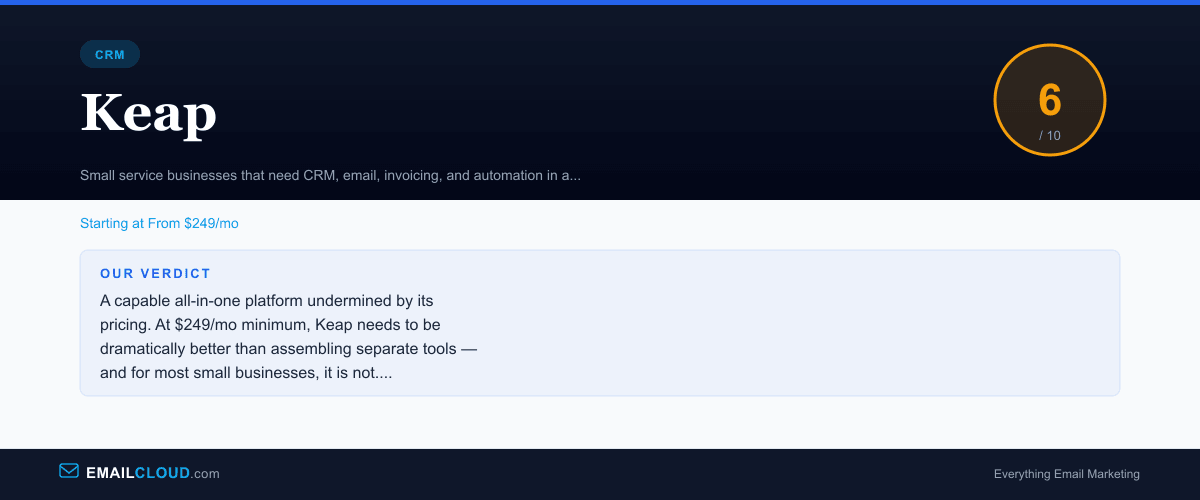
A capable all-in-one platform undermined by its pricing. At $249/mo minimum, Keap needs to be dramatically better than assembling separate tools — and for most small businesses, it is not. The CRM-email-invoicing integration is genuinely useful, but modern alternatives deliver similar value at a fraction of the cost.
Review Summary
Share this visual summary. Right-click to save.
Frequently Asked Questions
Is Keap the same as Infusionsoft?
Yes. Keap is the rebranded version of Infusionsoft. The company changed its name in 2019 to shed the reputation for complexity that Infusionsoft had earned over its years as a powerful but notoriously difficult-to-use platform. The core product DNA remains similar — CRM, email automation, and sales pipeline management — but the interface has been simplified in recent iterations.
Why is Keap so expensive?
Keap's pricing reflects its all-in-one positioning. The $249/mo starting price includes CRM, email marketing, automation, invoicing, payment processing, appointment scheduling, and sales pipeline management. If you were to buy these capabilities separately — CRM ($50), email ($30), invoicing ($20), scheduling ($15), automation ($50) — you would spend $165/mo but lose the integration benefits. Whether the integration premium is worth it depends on how much you value having everything in one system.
Is Keap good for email marketing?
Keap's email marketing is functional but not competitive with dedicated email platforms. The email builder is basic, template selection is limited, and deliverability is average. If email marketing is your primary need, platforms like ActiveCampaign, GetResponse, or Kit offer better email tools at a fraction of the price. Keap's email features are best understood as a component of its CRM and automation system, not as a standalone email marketing tool.
What are better alternatives to Keap?
For CRM plus email automation at lower cost, HubSpot (free CRM plus paid marketing) or ActiveCampaign (built-in CRM from $49/mo) are the most common alternatives. For all-in-one platforms with email, landing pages, and course hosting, Systeme.io offers a free plan. For service businesses specifically, HoneyBook and Dubsado provide CRM and invoicing at $20-40/mo with simpler interfaces.