Mailchimp Review: Still the Default, But Should It Be?
Pros
- Strong brand recognition and user trust
- Beautiful email templates and drag-and-drop editor
- Solid analytics and reporting dashboard
- Good integrations ecosystem (300+ apps)
- Built-in landing page builder
Cons
- Pricing has increased significantly — no longer the budget option
- Free plan severely limited (500 contacts, 1,000 sends/month)
- Automation features lag behind competitors like ActiveCampaign
- Charges for unsubscribed contacts on your list
- Customer support quality has declined
What is Mailchimp?
Mailchimp hardly needs an introduction. For nearly two decades, it was the email marketing platform — the one your friend recommended, the one your accountant used, the one with the monkey logo that somehow made email marketing feel approachable. And for good reason. Mailchimp basically invented the freemium model for email tools and built a product that millions of people genuinely liked using.
But here’s the thing. The Mailchimp of 2026 is not the Mailchimp of 2019. Since Intuit’s $12 billion acquisition in 2021, the platform has undergone steady price hikes, free plan cuts, and a strategic shift toward mid-market and enterprise customers. The scrappy underdog that championed small businesses has become something closer to a corporate product — still capable, still well-designed, but no longer the obvious choice it once was.
We have used Mailchimp across client accounts for over a decade. This review reflects what we see today, not nostalgia for what it used to be.
Pricing Breakdown
Let’s address this upfront because it’s the biggest pain point. Mailchimp’s pricing has changed multiple times since 2021, and never in the customer’s favor:
- Free: 500 contacts, 1,000 sends/month, 1 audience, basic templates, 30-day email support only
- Essentials: From $13/mo (500 contacts) — 3 audiences, A/B testing, email scheduling, 24/7 support
- Standard: From $20/mo (500 contacts) — behavioral targeting, Customer Journey Builder, send time optimization, retargeting ads
- Premium: From $350/mo (10,000 contacts) — advanced segmentation, multivariate testing, phone support, comparative reporting
The pricing scales with contact count, and this is where it gets uncomfortable. A 10,000-contact list on Standard runs roughly $100/mo. At 50,000 contacts, you’re looking at $350/mo or more. And here’s the detail that frustrates people most: Mailchimp counts unsubscribed and non-subscribed contacts toward your billing limit unless you manually archive them. You can be paying for contacts who will never receive another email from you.
Compare that to MailerLite at $9/mo for 500 subscribers or Kit’s free plan covering 10,000 subscribers, and the value gap becomes difficult to ignore.
Key Features We Tested
Email Builder and Templates
This remains Mailchimp’s strongest card. The Classic Builder and the newer Updated Builder both produce polished, responsive emails. The template library is extensive — over 100 pre-designed layouts covering everything from product launches to event invitations. For businesses where email design quality matters (ecommerce brands, creative agencies, restaurants), Mailchimp’s templates still look better out of the box than most competitors.
The drag-and-drop editor is intuitive. Content blocks snap into place predictably, custom fonts work reliably, and the preview tools across devices are thorough. The Creative Assistant feature can generate branded designs based on your website, which saves time for teams without a dedicated designer.
Customer Journey Builder
Mailchimp’s automation tool — rebranded as the Customer Journey Builder — is serviceable but limited compared to true automation platforms. You can build multi-step sequences with branching logic, yes. But the conditions and triggers available are narrower than what ActiveCampaign or even GetResponse offer. Setting up a conditional split based on purchase history requires the Standard plan or higher, and even then, the workflow builder feels constrained once you try anything beyond a basic welcome series or abandoned cart sequence.
For straightforward automation (welcome email, birthday discount, re-engagement campaign), it works fine. For complex multi-branch journeys with dynamic content and scoring — you’ll hit walls.
Analytics and Reporting
Mailchimp’s reporting dashboard is genuinely well-built. Open rates, click rates, click maps, social stats, and revenue attribution are all presented clearly. The comparative reports (available on Premium) let you benchmark campaigns against each other. And the audience dashboard provides a useful snapshot of list growth, engagement levels, and predicted demographics.
Where reporting falls short is at the contact level. Individual contact profiles show campaign history but lack the depth you get from CRM-integrated platforms. There’s no built-in lead scoring on the lower tiers, and tracking a single contact’s full journey across campaigns, pages, and purchases requires stitching data together manually.
Integrations
Mailchimp connects to over 300 apps and platforms, including Shopify, WooCommerce, WordPress, Salesforce, Zapier, and most social platforms. The Shopify integration — once severed in a high-profile breakup — has been restored and works well for basic ecommerce email. The integrations are generally reliable, though some third-party connections depend on Zapier rather than native integrations, which adds cost and latency.
Who Should Use Mailchimp?
Mailchimp is still a reasonable choice for a specific type of user. If you are a small business sending a monthly newsletter to fewer than 2,000 contacts, and you care about email design quality, and you don’t need complex automation — Mailchimp delivers a smooth experience. The templates are beautiful. The editor is reliable. The brand feels trustworthy.
It also suits businesses already embedded in the Intuit ecosystem. If you use QuickBooks for accounting, the native Mailchimp-QuickBooks integration adds genuine convenience for purchase-based segmentation and revenue tracking.
Established ecommerce stores doing over $500K in revenue can justify the Standard or Premium plans, where the retargeting ads, predictive segmentation, and multivariate testing features provide real value. At that scale, Mailchimp’s per-contact cost is less of an issue.
Who Should Avoid Mailchimp?
Bootstrapped startups and solopreneurs watching every dollar should look elsewhere. The free plan’s 500-contact limit will be outgrown in weeks if you are actively growing, and jumping to a paid plan puts you in a price bracket where competitors offer significantly more.
Businesses that need serious automation should consider ActiveCampaign instead. The Customer Journey Builder is fine for simple sequences, but it cannot match the depth of a purpose-built automation engine. If your revenue depends on multi-touch nurture sequences with conditional logic, Mailchimp will frustrate you.
Affiliate marketers should also be cautious. Mailchimp has historically been aggressive about suspending accounts they deem to be primarily affiliate-driven. Their acceptable use policy is stricter than most, and enforcement can feel arbitrary.
Deliverability
Mailchimp’s deliverability is decent — typically in the 88-92% inbox placement range in independent tests. Not bad, but not best-in-class either. The platform uses shared IP addresses for most users, which means your deliverability is partly at the mercy of other senders on the same infrastructure. Dedicated IPs are available only on Premium plans starting at $350/mo.
The authentication setup is straightforward. Mailchimp walks you through DKIM and SPF configuration, and the platform now supports DMARC alignment. But we have seen instances where legitimate senders experienced deliverability dips due to shared IP reputation issues, and customer support was slow to investigate.
Customer Support
And this is where the decline is most visible. Mailchimp’s support used to be excellent — fast, knowledgeable, genuinely helpful. Under Intuit, it has moved toward a tiered model where free users get only 30 days of email support, Essentials users get 24/7 email and chat, and phone support is reserved for Premium users paying $350/mo or more.
Response times on chat have increased noticeably. Knowledge base articles are extensive but sometimes outdated. And the quality of individual support interactions has become inconsistent — you might get a sharp agent who resolves your issue immediately, or you might get boilerplate responses that miss the point.
The Bottom Line
Mailchimp is not a bad product. It is a good product at a price that no longer matches its value relative to the competition. The templates are still the best in the industry. The brand recognition still carries weight. And the analytics dashboard is among the better ones available.
But the Mailchimp that earned its reputation did so by offering the most generous free plan in email marketing and being the obvious choice for small businesses. That Mailchimp is gone. In its place is a competent mid-market platform competing against tools that are either cheaper, more powerful, or both.
If you are already on Mailchimp, your data is organized, and your bill is manageable — there is no urgent reason to migrate. Switching platforms is never painless. But if you are evaluating email marketing tools for the first time in 2026, we would steer you toward GetResponse, MailerLite, or ActiveCampaign first, depending on your needs and budget. Mailchimp earns a 7.5 — solid, but no longer special.
Our Verdict
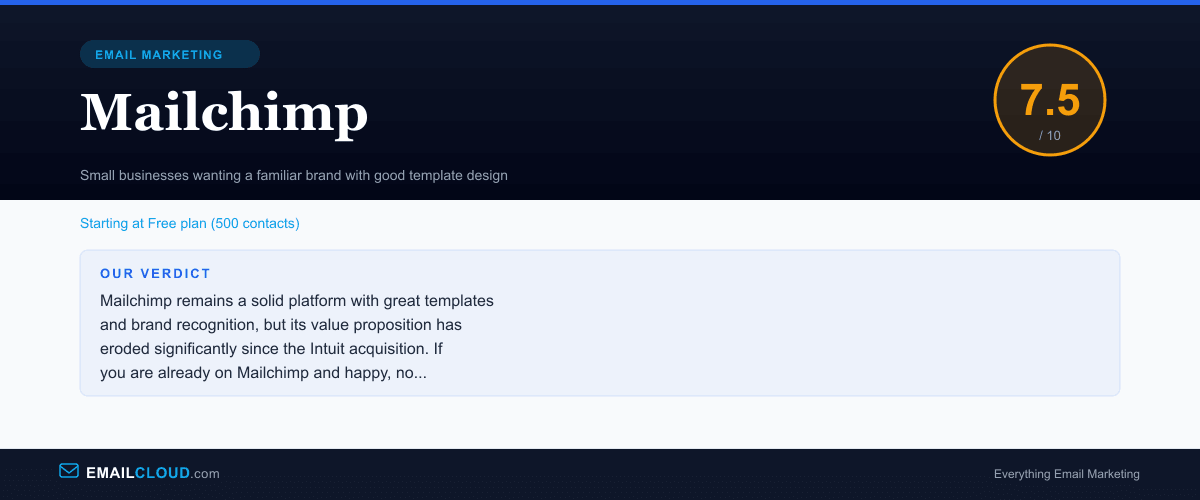
Mailchimp remains a solid platform with great templates and brand recognition, but its value proposition has eroded significantly since the Intuit acquisition. If you are already on Mailchimp and happy, no urgent reason to switch. But if you are choosing a new platform today, there are better options for the price.
Review Summary
Share this visual summary. Right-click to save.
Frequently Asked Questions
Is Mailchimp still worth it in 2026?
For simple newsletter sending with beautiful templates, yes. But if you need advanced automation, a generous free plan, or cost-effective scaling, platforms like GetResponse, Kit, or MailerLite offer better value per dollar. Mailchimp's pricing increases have made it expensive for growing lists.
Why did Mailchimp get so expensive?
After Intuit acquired Mailchimp in 2021 for $12 billion, pricing steadily increased while the free plan shrank. The free plan went from 2,000 contacts to just 500. This reflects a shift toward enterprise positioning, but it has pushed many small businesses to alternatives.
What is the best Mailchimp alternative?
It depends on your needs. GetResponse offers more features per dollar with built-in webinars and funnels. Kit is better for creators and bloggers. MailerLite is the best budget alternative with a generous free plan. ActiveCampaign is superior for advanced automation.