Mailgun Review: Developer-First Transactional Email API
Pros
- Excellent API documentation and developer experience
- Powerful email validation and verification API
- Detailed analytics with log search and event tracking
- Inbound email routing and parsing capabilities
- Flexible sending infrastructure with dedicated IPs available
Cons
- No free tier — only a 30-day trial with limited sends
- Foundation plan minimum is $35/mo even for low-volume senders
- Dashboard UX is functional but dated
- Marketing email features are an afterthought
- Support quality varies — responsive on higher plans, slow on Flex
What is Mailgun?
Mailgun is an email API service built by developers, for developers. While platforms like Mailchimp and Kit focus on marketers composing campaigns through visual interfaces, Mailgun focuses on engineers who need to send transactional email from their applications — password resets, order confirmations, shipping notifications, account alerts, and the thousands of other automated messages that modern applications generate.
Founded in 2010 by Ev Kontsevoy and Taylor Wakefield, Mailgun was originally a Y Combinator-backed startup that quickly earned a reputation for its clean API design and thorough documentation. The company was acquired by Rackspace in 2012, then spun out as part of Mailgun Technologies (now Sinch Email) in 2017. Today it processes billions of emails monthly for companies ranging from startups to enterprises.
Mailgun operates in the same category as SendGrid, Postmark, and Amazon SES — tools where the “user” is a codebase, not a person clicking buttons. The value proposition is reliability, deliverability, and developer experience. We have integrated Mailgun into SaaS applications, ecommerce platforms, and notification systems. This review covers the developer experience, deliverability, pricing, and how it compares to alternatives.
Pricing Breakdown
Mailgun’s pricing has three tiers:
- Flex (pay-as-you-go): $0.80 per 1,000 emails, no monthly minimum. First 5,000 emails free during the 30-day trial. Email validation at $1.00 per 100 validations. No dedicated IP. Community support only.
- Foundation ($35/mo): 50,000 emails included ($0.70 per additional 1,000), 1 dedicated IP, 1-day message retention, email validation included, ticket support
- Scale ($90/mo): 100,000 emails included ($0.65 per additional 1,000), 2 dedicated IPs, 3-day message retention, SAML SSO, priority support, IP pools
- Custom (enterprise): Custom volume, SLA guarantees, dedicated infrastructure, phone support, advanced compliance features
At volume, Mailgun’s per-email cost is competitive but not the cheapest. Amazon SES charges $0.10 per 1,000 emails — roughly 85% less than Mailgun’s Flex rate. But SES requires significantly more setup effort and provides no dashboard, no log search, and minimal support. The question is whether Mailgun’s developer tools and managed infrastructure justify the premium over bare-metal options like SES.
For most applications sending 10,000-100,000 transactional emails per month, the Foundation or Scale plans are the right fit. The included email volume, dedicated IP, and support access make the monthly fee worthwhile compared to the Flex plan’s per-email pricing.
Key Features We Tested
API and SDKs
Mailgun’s API is RESTful, well-structured, and extensively documented. Every API endpoint includes code examples in cURL, Python, Ruby, Java, PHP, Go, C#, and Node.js. The documentation covers common patterns (sending with templates, handling bounces, tracking events) and edge cases (batch sending, recipient variables, MIME construction).
Official SDKs are maintained for Python, Ruby, PHP, Java, Go, C#, and Node.js. The SDKs are thin wrappers around the REST API — they handle authentication and HTTP mechanics without abstracting away the underlying API structure. This means the API documentation is always relevant regardless of which SDK you use.
Sending an email through the API is straightforward. The minimum request includes a from address, to address, subject, and body (text or HTML). Optional parameters cover everything from CC/BCC recipients and attachments to tracking settings, custom headers, and scheduled delivery times.
Email Validation
Mailgun includes an email validation API that checks addresses for syntax errors, known disposable domains, role-based addresses (info@, admin@), and deliverability risk. The validation uses multiple data sources including SMTP verification, DNS lookups, and Mailgun’s proprietary risk database.
This validation service is genuinely useful for signup forms, list cleaning, and preventing bounces before they happen. In our testing, the validation API correctly identified 92-95% of invalid addresses, significantly reducing bounce rates on applications that validated at the point of collection.
Event Tracking and Logs
Mailgun provides detailed event tracking for every message: accepted, delivered, opened, clicked, bounced, failed, unsubscribed, and complained. Events are accessible through the API, webhooks, and the dashboard’s log search interface.
The log search is one of Mailgun’s standout features. You can search by recipient, subject line, message ID, event type, or time range. For debugging delivery issues — “Why didn’t this user get their password reset email?” — the ability to search logs by recipient email and see the complete event history is invaluable. Most competing platforms offer similar data but with less flexible search.
Webhooks deliver events in real time to your application, enabling immediate response to bounces, complaints, or other events that require action.
Inbound Email Routing
Mailgun can receive and parse incoming emails, a feature that not all transactional email providers offer. You configure MX records to route email through Mailgun, and the platform parses messages — extracting headers, body content (plain text and HTML), attachments, and metadata — and delivers them to your application via webhook.
This enables features like reply-by-email (users reply to notification emails, and their replies are processed by your application), email-to-ticket systems, and any workflow where incoming email needs to trigger application logic.
Templates and SMTP
Mailgun supports stored templates with variable substitution. You create HTML templates in the dashboard or via API, then reference them when sending — passing recipient-specific variables that populate personalized content. This keeps email design out of application code and allows non-developers to update templates without code deployments.
SMTP relay is also available for applications that send email through SMTP rather than API. Mailgun provides SMTP credentials that route email through its infrastructure, giving you deliverability benefits without changing your application’s sending method. This is useful for legacy applications, WordPress sites, and any system that already sends email via SMTP.
Who Should Use Mailgun?
Mailgun is built for technical teams that need email as application infrastructure:
- SaaS development teams sending transactional email (account notifications, password resets, usage alerts) from their applications
- Ecommerce platforms sending order confirmations, shipping updates, and receipt emails at scale
- Startups that need a reliable email API and do not want to build email infrastructure from scratch
- Agencies and consultancies that manage email infrastructure for client applications
Who Should Look Elsewhere?
Non-technical users who need to send marketing campaigns should use a marketing platform like Mailchimp, Kit, or GetResponse. Mailgun is not a marketing tool — there is no visual campaign builder, subscriber management, or marketing automation.
Budget-constrained projects with very low volume should consider Amazon SES ($0.10/1,000) or SendGrid’s free plan (100 emails/day). Mailgun’s Flex plan at $0.80/1,000 is 8x the cost of SES, which adds up at scale.
Teams that need the absolute fastest transactional delivery should evaluate Postmark, which specializes exclusively in transactional email and consistently achieves the fastest delivery times in the industry. Mailgun is fast, but Postmark is built for speed as its primary metric.
Deliverability
Mailgun’s deliverability is strong, supported by dedicated IPs on Foundation plans and above, proper authentication setup (SPF, DKIM, DMARC), and reputation monitoring tools. The platform provides deliverability analytics that track inbox placement by mailbox provider, helping identify provider-specific issues before they become widespread.
Dedicated IPs give you complete control over your sending reputation — your deliverability is not affected by other Mailgun users’ behavior. For high-volume senders, IP warmup tools help establish reputation on new IPs gradually.
The Bottom Line
Mailgun is a mature, reliable transactional email API with excellent documentation, powerful log search, and the email validation tools that production applications need. The lack of a free tier and higher per-email pricing compared to Amazon SES are the primary drawbacks, but the managed infrastructure, developer experience, and support justify the premium for teams that value their engineering time.
If you need to send transactional email from an application and want a well-documented API with strong deliverability, Mailgun is a solid choice. If you need the cheapest possible sending or a marketing email platform, look elsewhere.
Our Verdict
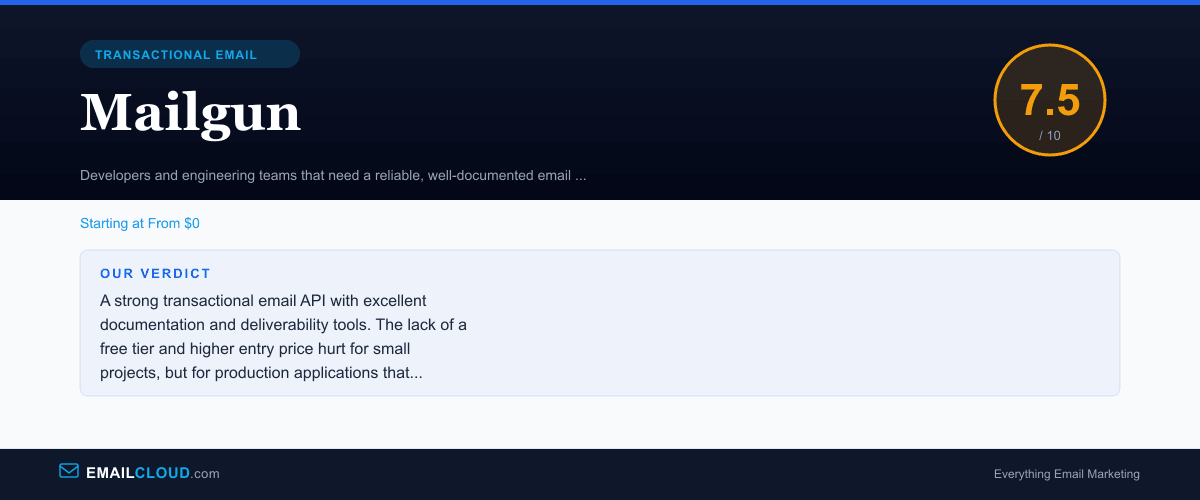
A strong transactional email API with excellent documentation and deliverability tools. The lack of a free tier and higher entry price hurt for small projects, but for production applications that need reliable email infrastructure, Mailgun delivers.
Review Summary
Share this visual summary. Right-click to save.
Frequently Asked Questions
Is Mailgun free?
No. Mailgun discontinued its free tier several years ago. Currently, the Flex plan charges $0.80 per 1,000 emails with no monthly minimum — you only pay for what you send. There is a 30-day trial that includes 5,000 free emails for testing. For ongoing low-volume sending, Amazon SES at $0.10/1,000 or SendGrid's free plan at 100 emails/day are cheaper alternatives.
How does Mailgun compare to SendGrid?
Mailgun is more developer-focused with better API documentation, more powerful log search, and stronger email validation. SendGrid has a free tier, a better marketing email product, and a larger ecosystem of integrations. For pure transactional email with a developer audience, Mailgun edges ahead. For a combined transactional and marketing platform, SendGrid is more versatile.
Is Mailgun good for transactional email?
Yes. Mailgun is one of the top transactional email services. The API is well-designed, documentation is thorough, deliverability is strong, and the event tracking provides detailed visibility into email lifecycle. It is used by companies like Lyft, Slack, and GitHub for their transactional email infrastructure.
Does Mailgun support inbound email?
Yes. Mailgun can receive and parse incoming emails, extracting headers, body content, and attachments. This is useful for building features like email-to-ticket systems, reply-to-post functionality, or any application that needs to process incoming email programmatically. The inbound routing is configured through MX records and the Mailgun dashboard.