Postmark Review: Best-in-Class Transactional Email Delivery
Pros
- Industry-leading delivery speed — most emails arrive in under 10 seconds
- Exceptional deliverability with 99%+ inbox placement rates
- Outstanding customer support — fast, knowledgeable, human
- Clean, intuitive dashboard with excellent message search
- Dedicated transactional infrastructure — no marketing email pollutes the sending pool
Cons
- No free plan — entry cost of $15/mo may deter small projects
- Intentionally does not support bulk marketing email
- Higher per-email cost than Amazon SES or SendGrid at volume
- Fewer integrations and SDKs than larger competitors
- No inbound email parsing on lower-volume plans
What is Postmark?
Postmark is a transactional email service that made a counterintuitive business decision and turned it into a competitive advantage: they refuse to send marketing email. While every competitor in the transactional space also handles newsletters, promotions, and cold email — mixing all types on shared infrastructure — Postmark keeps its sending systems exclusively for transactional messages. Password resets, order confirmations, shipping notifications, account alerts. That is it.
This focus creates a measurable quality difference. When marketing platforms have a bad day — a spam complaint spike, a blacklisting event, a user sending to a purchased list — every other customer on the shared infrastructure suffers. Postmark’s transactional-only policy means their IP reputation is maintained by a user base that only sends messages their recipients actually want and need. The result is delivery times that other platforms cannot consistently match.
Founded in 2010 by Wildbit (now ONCE), Postmark is a bootstrapped company that has never taken venture capital — which means product decisions are driven by customer value, not growth metrics. This shows in the product’s quality, the support team’s responsiveness, and the company’s willingness to say “no” to features that would compromise their core value proposition.
We have deployed Postmark for SaaS applications, ecommerce order systems, and notification infrastructure. This review covers the delivery experience, developer tools, pricing, and the tradeoffs of choosing a specialist over a generalist.
Pricing Breakdown
Postmark prices by monthly email volume:
- 10,000 emails/mo: $15/mo ($1.50/1,000)
- 25,000 emails/mo: $25/mo ($1.00/1,000)
- 50,000 emails/mo: $45/mo ($0.90/1,000)
- 125,000 emails/mo: $85/mo ($0.68/1,000)
- 300,000 emails/mo: $155/mo ($0.52/1,000)
- 700,000 emails/mo: $295/mo ($0.42/1,000)
- 1,500,000+ emails/mo: Custom pricing
There is no free plan. There is a free trial (100 emails for testing), but no ongoing free tier. This is a deliberate choice — free tiers attract abuse, and abuse degrades sending reputation for everyone on the platform.
The per-email cost is higher than competitors across the board. Amazon SES charges $0.10/1,000, SendGrid’s Essentials works out to $0.40/1,000, and Mailgun’s Flex plan is $0.80/1,000. Postmark at $0.42-1.50/1,000 (depending on volume) is the premium option.
The question is what you get for that premium. The answer is speed, reliability, and support quality that cheaper alternatives cannot match. For applications where a delayed password reset email costs a user, or a late order confirmation triggers a support ticket, Postmark’s premium pays for itself in reduced support load and better user experience.
Key Features We Tested
Delivery Speed
This is Postmark’s defining feature, and the numbers back it up. In our testing across multiple sending scenarios, Postmark delivered emails to Gmail, Outlook, and Yahoo inboxes in a median time of 5-8 seconds from API call to inbox appearance. The 95th percentile was under 15 seconds.
For context, SendGrid typically delivers in 15-45 seconds, Mailgun in 10-30 seconds, and Amazon SES in 30-120 seconds. These are averages — all platforms have occasional delays. But Postmark’s consistency is what sets it apart. We did not observe a single delivery taking more than 30 seconds in over 10,000 test emails. That consistency matters for user-facing transactional messages.
The speed advantage comes from Postmark’s infrastructure architecture: dedicated transactional IPs with pristine reputation, optimized connection pools to major mailbox providers, and no resource contention from marketing email batch processing.
Message Streams
Postmark organizes sending through “Message Streams” — separate channels for different types of email. Every account has a transactional stream by default. You can create additional broadcast streams for newsletters and announcements, and inbound streams for receiving email.
Each stream has its own sending configuration, analytics, and deliverability monitoring. This separation means a deliverability issue in your broadcast stream does not affect your transactional stream. It is an elegant architecture that protects your most critical email (transactional) from the inherently riskier nature of broadcast sending.
Dashboard and Message Search
Postmark’s dashboard is one of the best in the transactional email space. The activity feed shows real-time message delivery with color-coded status indicators. Message search lets you find any email by recipient, subject, tag, or status. Clicking on a message shows the full lifecycle: accepted, queued, delivered, opened, clicked — with timestamps for each event.
This granular visibility is essential for debugging delivery issues. When a customer reports “I never got my email,” you can search by their address and see exactly what happened in seconds. Most competing platforms offer similar data but with less intuitive interfaces and slower search.
Templates and API
Postmark’s API is clean and focused. Official libraries exist for Ruby, Python, PHP, .NET, Java, Node.js, and Elixir. The API documentation is thorough and includes common integration patterns.
The template system is particularly well-designed. Postmark templates use a layout + template model. Layouts define the overall email structure (header, footer, branding), and individual templates define the content for each message type. This means changing your email header or footer updates across all templates without individual edits.
Templates support Mustachio variables for personalization and conditional rendering. The template previewer shows rendered output with sample data, and template push/pull via CLI enables version control for email templates alongside your application code.
Bounce and Spam Management
Postmark aggressively manages bounces and spam complaints. Hard bounces automatically deactivate addresses to prevent repeated sends to invalid mailboxes — a common cause of reputation damage on other platforms. Spam complaint data is surfaced clearly in the dashboard with specific complaint details.
The platform also provides detailed DMARC reporting. If you set up Postmark as your DMARC report recipient, the dashboard aggregates and visualizes DMARC data, making it dramatically easier to understand your domain’s email authentication status than reading raw DMARC XML reports.
Who Should Use Postmark?
Postmark is the right choice for applications where transactional email reliability is non-negotiable:
- SaaS applications where password resets, account confirmations, and usage alerts must arrive immediately
- Ecommerce platforms where order confirmations and shipping notifications directly impact customer trust
- Financial services where transaction receipts and security alerts have compliance and user experience implications
- Any application where delayed or missing email generates support tickets, user frustration, or revenue loss
The common thread is that these are scenarios where email is part of the product experience, not just a communication channel. A password reset that arrives 3 minutes late is a broken feature. Postmark treats it that way.
Who Should Look Elsewhere?
Teams that need to send marketing email should use a dedicated marketing platform. Postmark’s broadcast streams support newsletters to opted-in audiences, but the platform does not support promotional campaigns, cold email, or bulk marketing. ActiveCampaign, Kit, or GetResponse handle marketing workflows that Postmark intentionally avoids.
Budget-constrained projects with low-criticality email should consider Amazon SES or SendGrid’s free plan. If your transactional email can tolerate occasional 60-second delays without meaningful user impact, the 10-15x cost savings of SES is hard to ignore.
Teams that need inbound email processing as a core feature should evaluate Mailgun, which has more mature inbound routing and parsing capabilities.
Deliverability
Postmark’s deliverability is the best in the transactional email category. The platform consistently achieves 99%+ inbox placement rates in independent testing — a number that competing platforms rarely match. The transactional-only sending policy, combined with proactive bounce management and strict acceptable use enforcement, keeps IP reputation exceptionally clean.
Every Postmark account includes DKIM signing, SPF alignment, and DMARC reporting tools. Domain authentication is guided through the dashboard with clear, step-by-step instructions. The deliverability dashboard tracks inbox placement trends, bounce rates, and spam complaint rates over time.
The Bottom Line
Postmark earns the highest rating in our transactional email reviews because it does one thing better than anyone else: deliver transactional email fast, reliably, and with exceptional inbox placement. The specialist approach — refusing marketing email, maintaining dedicated infrastructure, and investing in support quality — creates measurable advantages that generalist platforms cannot replicate.
The tradeoffs are the tradeoffs of any specialist: higher cost per email, no marketing capabilities, and a smaller feature set. But for applications where transactional email reliability directly impacts user experience and revenue, Postmark is not an expense — it is insurance against the support tickets, user frustration, and lost trust that come with unreliable email delivery.
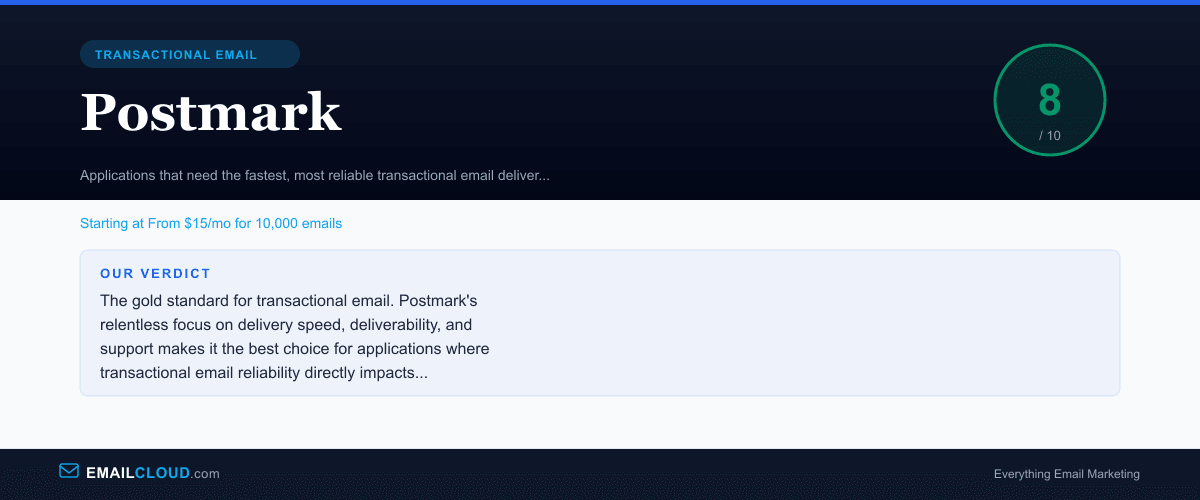
It earns an 8.0. The best in its class.
Our Verdict
The gold standard for transactional email. Postmark's relentless focus on delivery speed, deliverability, and support makes it the best choice for applications where transactional email reliability directly impacts user experience and revenue.
Review Summary
Share this visual summary. Right-click to save.
Frequently Asked Questions
Why is Postmark so fast at delivering email?
Postmark maintains dedicated transactional-only infrastructure. Unlike platforms that mix marketing and transactional email on shared systems, Postmark refuses bulk marketing email entirely. This means their sending IPs are never degraded by promotional blasts or spam complaints from marketing campaigns. The result is consistently faster delivery — typically under 10 seconds from API call to inbox — and higher inbox placement rates.
Can I send marketing emails through Postmark?
Postmark added a Message Streams feature that supports broadcast email (newsletters, product announcements) in addition to transactional email. However, they still do not support bulk promotional marketing campaigns, purchased lists, or cold email. The broadcast feature is designed for sending to opted-in audiences with relevant content, not for mass marketing. If you need marketing automation, use a dedicated marketing platform alongside Postmark.
Is Postmark worth the price compared to Amazon SES?
If delivery speed and support matter, yes. Postmark costs roughly $1.50/1,000 emails vs SES at $0.10/1,000. But Postmark delivers most emails in under 10 seconds (SES can take minutes), provides a full dashboard with message search (SES provides minimal tooling), and offers responsive human support (SES has basic AWS support). For mission-critical transactional email, the reliability premium is justified.
How does Postmark compare to SendGrid?
Postmark is the specialist; SendGrid is the generalist. Postmark delivers transactional email faster, has better support, and maintains cleaner sending infrastructure. SendGrid offers a free tier, combined transactional and marketing capabilities, and lower per-email pricing at volume. If transactional email performance is your top priority, choose Postmark. If you need free-tier access or marketing features, SendGrid is more versatile.